
Ren'py Ongoing Anal SexBig TitsCheatingCorruptionCreampieExhibitionismGropingHandjobHaremHumiliationIncestInterracialMILFMale ProtagonistMasturbationMind ControlNetorareOral SexPovRPGReal PornSandboxSex ToysStrippingTeasingTurn Based CombatVaginal SexVoyeurism LinuxMacWindows
A Tale of One City
Ongoing v.3.7
- Developer
- Project Blossom
- Release Date
- 15 September, 2024
- Engine
- Ren'py
- Censorship
- Uncensored
- Size
- 13.62 GB
- Version
- 3.7
Screenshots
Genres
Game Description
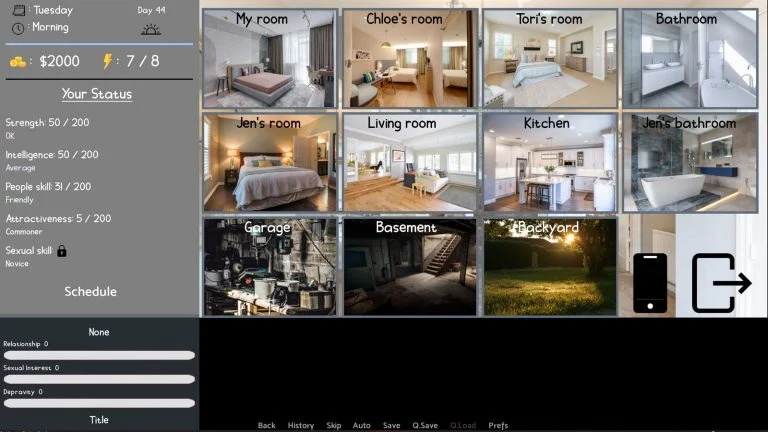
A Tale of One City is a sandbox game with many characters to interact and locations to visit and explore. The game has some RPG elements as well that you will get to build up your stats and gain perks as well. With more stats and perks, more opportunity will be open to players.
The Story takes place in a coastal city, where a young man who just graduated a college is about to start his career as a business man. Business career aside, the city is full of potential for this young man's adventure.
Extract and run.
Incest Patch Installation: Put the patch file in the game directory (A Tale of One City/game/patch.rpy)
Incest Patch Installation: Put the patch file in the game directory (A Tale of One City/game/patch.rpy)
No patch notes available.
- Dual Core Pentium or equivalent Processor.
- Intel HD 2000 or equivalent Graphics.
- 13.62 GB of free disk space (Recommended to have twice as much free disk space).
A Tale of One City - Ongoing - v.3.7 Download Links
A Tale of One City is a porn game made on Ren'py game engine.
The current available version is v.3.7.
The contents of the game are Uncensored. A Tale of One City is developed by Project Blossom.
Please support the developer if you want continued development.
Download links are gathered from public sources. We do not host or modify contents.
Walkthrough and Guide
Walkthrough/Tips: FILEKNOT - ANONZIP
How to fix Lagging issues:
If the game is too slow, change the renderers and turn off Powersave
Turn on the game and press Shift+G (Windows) or Command+G (MAC) to open the RenPy Settings.
Choose either Force GL2 / ANGLE2 Renderer. Choose which one will make your game faster.
Turning off the Powersave option will also enchance the performanc e of the game. Choose to Disable it, as it may be limiting game performance.
Click Return on the bottom and exit the game. Then, restart it and it's all done!
How to fix Lagging issues:
If the game is too slow, change the renderers and turn off Powersave
Turn on the game and press Shift+G (Windows) or Command+G (MAC) to open the RenPy Settings.
Choose either Force GL2 / ANGLE2 Renderer. Choose which one will make your game faster.
Turning off the Powersave option will also enchance the performanc e of the game. Choose to Disable it, as it may be limiting game performance.
Click Return on the bottom and exit the game. Then, restart it and it's all done!