
Ren'Py Ongoing Ai CGAnal SexBig AssBig TitsCheatingCorruptionExhibitionismFemale ProtagonistGropingHandjobIncestLesbianMILFMasturbationNetorareOral SexReal PornSandboxSex ToysTeasingVaginal Sex AndroidLinuxMacWindows
Best Mom
Ongoing v.0.12
- Developer
- BigBoy Projects
- Release Date
- 8 April, 2026
- Engine
- Ren'Py
- Censorship
- Uncensored
- Size
- 4.96 GB
- Version
- 0.12
Screenshots
Genres
Game Description
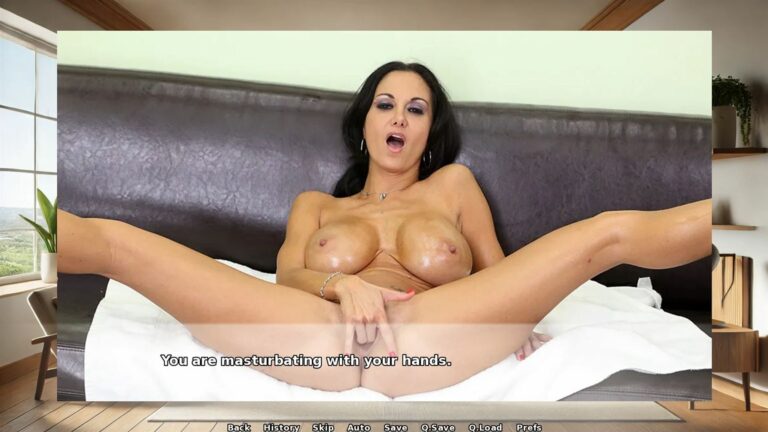
In Best Mom, you are immersed in the life of a resilient single mother who, after the tragic loss of her husband, is now solely responsible for raising their four children - three energetic boys and a curious girl. Set in an era where societal norms and expectations pose additional challenges, this game explores the depths of a mother's love, sacrifice, and unwavering commitment to her family.
'If you don't want to start over, go to phone > setting > unlock all (lock icon),
this unlocks the whole game till the very end.'
Extract and run.
Android Installation:
README – How to Install and Play the Game on Android
IMPORTANT: This package contains both the game installer (APK) and all the image/video files needed to play. Follow these steps carefully, or the game will not work.
1. What’s Inside This Package- Game.apk → The game installer
- images.zip → All game visuals (images + videos)
- README.txt → This guide
2. Step-by-Step Installation
STEP 1 – Download the Package:
Download the entire game package from the server (APK + images.zip + README.txt).
Save it somewhere on your device (e.g., Downloads folder).
STEP 2 – Extract the Package
Use a file manager or extraction app (e.g., RAR, ZArchiver, or X-plore)
to unpack the downloaded archive. (pro tipp: File Manager+ is a free and handy tool for that in Google Store)
After extraction, you should see:
- Game.apk
- images.zip
- README.txt
STEP 3 – Install the Game:
Tap Game.apk and install it.
If your phone asks, enable "Install from unknown sources" in your settings.
STEP 4 – Extract the images.zip File:
Extract images.zip (do NOT just place the zip file into the folder — it must be uncompressed).
You will now have a folder named:
images
STEP 5 – Run the Game Once:
Open the game normally from your app menu.
It will likely show black screens or errors — THIS IS NORMAL.
The purpose of this step is to let the game create its folder structure.
Once the main menu loads (even without images), close the game completely.
STEP 6 – Place the images Folder in the Game Directory:
Using your file manager, navigate to:
/Android/data/com.example.game/files/game/
If there is no "game" folder inside /files/, create one.
Move the "images" folder into /game/.
Final Path Example:
/Android/data/com.example.game/files/game/images/
3. Important Notes:
- Do NOT keep images.zip compressed — the folder must be fully extracted.
- If the images folder is in the wrong location, the game will not load visuals.
- If you cannot access /Android/data/, use a file manager that supports Android 11+ restrictions, such as X-plore.
- The game will show black screens if the images folder is missing or misplaced.
4. Extra Help:
- If you don’t understand English, use Google Translate or ChatGPT to translate these instructions.
- If something goes wrong, double-check the folder structure.
- The images folder must always be directly inside /game/ — not inside another subfolder.
Android Installation:
README – How to Install and Play the Game on Android
IMPORTANT: This package contains both the game installer (APK) and all the image/video files needed to play. Follow these steps carefully, or the game will not work.
1. What’s Inside This Package- Game.apk → The game installer
- images.zip → All game visuals (images + videos)
- README.txt → This guide
2. Step-by-Step Installation
STEP 1 – Download the Package:
Download the entire game package from the server (APK + images.zip + README.txt).
Save it somewhere on your device (e.g., Downloads folder).
STEP 2 – Extract the Package
Use a file manager or extraction app (e.g., RAR, ZArchiver, or X-plore)
to unpack the downloaded archive. (pro tipp: File Manager+ is a free and handy tool for that in Google Store)
After extraction, you should see:
- Game.apk
- images.zip
- README.txt
STEP 3 – Install the Game:
Tap Game.apk and install it.
If your phone asks, enable "Install from unknown sources" in your settings.
STEP 4 – Extract the images.zip File:
Extract images.zip (do NOT just place the zip file into the folder — it must be uncompressed).
You will now have a folder named:
images
STEP 5 – Run the Game Once:
Open the game normally from your app menu.
It will likely show black screens or errors — THIS IS NORMAL.
The purpose of this step is to let the game create its folder structure.
Once the main menu loads (even without images), close the game completely.
STEP 6 – Place the images Folder in the Game Directory:
Using your file manager, navigate to:
/Android/data/com.example.game/files/game/
If there is no "game" folder inside /files/, create one.
Move the "images" folder into /game/.
Final Path Example:
/Android/data/com.example.game/files/game/images/
3. Important Notes:
- Do NOT keep images.zip compressed — the folder must be fully extracted.
- If the images folder is in the wrong location, the game will not load visuals.
- If you cannot access /Android/data/, use a file manager that supports Android 11+ restrictions, such as X-plore.
- The game will show black screens if the images folder is missing or misplaced.
4. Extra Help:
- If you don’t understand English, use Google Translate or ChatGPT to translate these instructions.
- If something goes wrong, double-check the folder structure.
- The images folder must always be directly inside /game/ — not inside another subfolder.
No patch notes available.
- Dual Core Pentium or equivalent Processor.
- Intel HD 2000 or equivalent Graphics.
- 4.96 GB of free disk space (Recommended to have twice as much free disk space).
Best Mom - Ongoing - v.0.12 Download Links
Best Mom is a porn game made on Ren'Py game engine.
The current available version is v.0.12.
The contents of the game are Uncensored. Best Mom is developed by BigBoy Projects.
Please support the developer if you want continued development.
Download links are gathered from public sources. We do not host or modify contents.