Ren'py Finished 3DCGAnal SexAnimatedBig AssBig TitsBlackmailCheatingCorruptionCreampieExhibitionismFootjobGraphic ViolenceHandjobLesbianMale ProtagonistMobile GameMonsterOral SexProstitutionSex ToysSpankingSwingingTeasingTitfuckVaginal SexVoyeurism AndroidLinuxMacWindows
Screenshots
Genres
Game Description
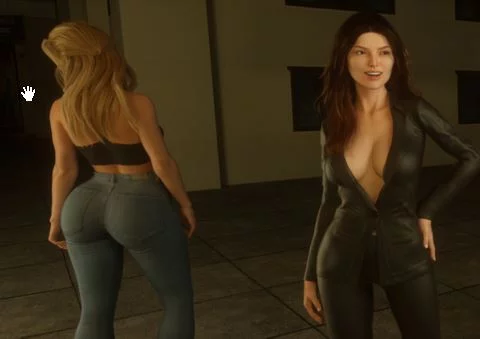
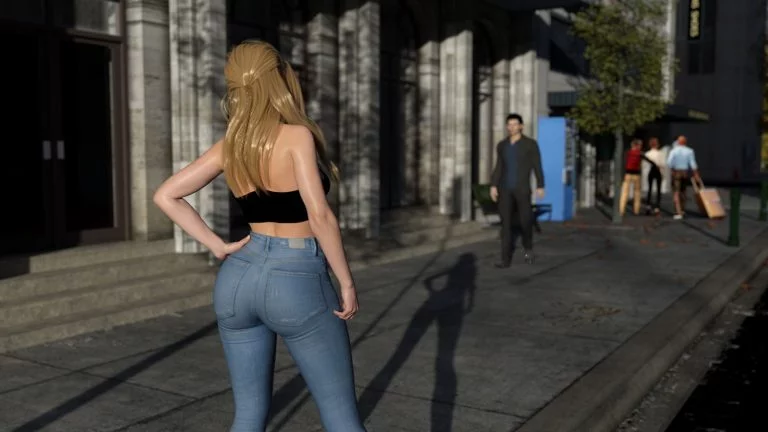
The main character spent his whole life working as a police detective. He's famous for his ability to solve crimes, unravel any mystery and catch even the smartest villains, but things are about to change really soon. That's where the story begins. Can one failure determine your future? Can you really escape from your past or at some point in time it's bound to come back to haunt you? Or maybe... every decision you've ever made wasn't yours in the first place? What if you're just a pawn used for greater things to come?
If you didn't play Chapter 1 HOTFIX version, you have to start over, because of the added option to choose the character's name.
IMPORTANT:
Sharing scene that’s been added in Chapter 3 is COMPLETELY AVOIDABLE and a choice that leads to it is tagged properly, so you won’t get there by mistake. For more info please read Dev Notes.
Extract and run.
No patch notes available.
- Dual Core Pentium or equivalent Processor.
- Intel HD 2000 or equivalent Graphics.
- 4.28 GB of free disk space (Recommended to have twice as much free disk space).
Deliverance - Finished - v.Final Download Links
Deliverance is a porn game made on Ren'py game engine.
The current available version is v.Final.
The contents of the game are Uncensored. Deliverance is developed by 1Thousand.
Please support the developer if you want continued development.
Download links are gathered from public sources. We do not host or modify contents.
Walkthrough and Guide
Walkthrough: FILEKNOT - ANONZIP
Walkthrough+Gallery Unlocker Mod: FILEKNOT - ANONZIP
Walkthrough+Gallery Unlocker Mod Installation:
- Backup your files first.
PC (Windows/Linux): Unzip the mod file and put the folder named "game" from the mod in your "Deliverance-Final-pc" folder.
MAC: Unzip the mod -> Right-click your "Deliverance" app -> Click "Show Package Contents" -> Open the "Contents" then "Resources" folders -> Hold the Option key and drag the folder named "game" from the mod to the "autorun" folder -> Click merge.
Walkthrough+Gallery Unlocker Mod Features:
- Adds a WT in game;
- Adds an option to unlock/lock the gallery;
- Adds cheat Menu (quick menu);
- Adds a help menu in the cheat screen to help you know what each variable does.
Walkthrough+Gallery Unlocker Mod: FILEKNOT - ANONZIP
Walkthrough+Gallery Unlocker Mod Installation:
- Backup your files first.
PC (Windows/Linux): Unzip the mod file and put the folder named "game" from the mod in your "Deliverance-Final-pc" folder.
MAC: Unzip the mod -> Right-click your "Deliverance" app -> Click "Show Package Contents" -> Open the "Contents" then "Resources" folders -> Hold the Option key and drag the folder named "game" from the mod to the "autorun" folder -> Click merge.
Walkthrough+Gallery Unlocker Mod Features:
- Adds a WT in game;
- Adds an option to unlock/lock the gallery;
- Adds cheat Menu (quick menu);
- Adds a help menu in the cheat screen to help you know what each variable does.