
House Chores
Finished v.1.2.1
- Developer
- Siren's Domain
- Release Date
- 12 December, 2025
- Engine
- Others
- Censorship
- Uncensored
- Size
- 2.03 GB
- Version
- 1.2.1
Screenshots
Genres
Game Description
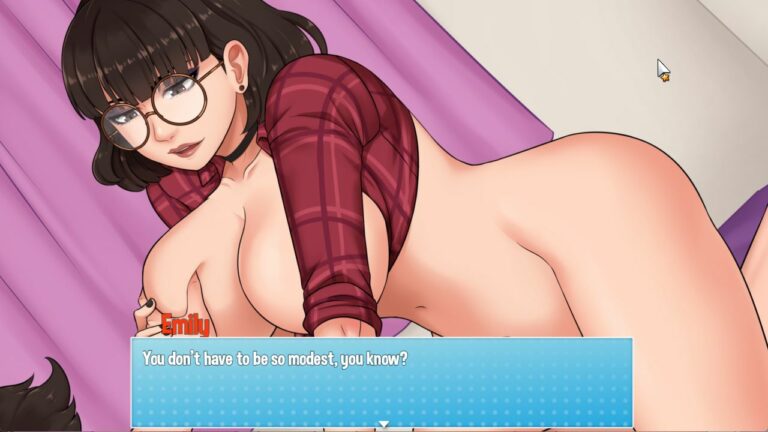
House Chores is a visual novel where you experience the story of a young man on his summer vacation. Problems arise when he begins to see someone close to him in a much different manner. To make matters worse, two unexpected guests barge in and complicate this messy summer even further!
Can you score it big during your summer vacation? Or will you start the school year empty handed?
Extract and run.
No patch notes available.
- Dual Core Pentium or equivalent Processor.
- Intel HD 2000 or equivalent Graphics.
- 2.03 GB of free disk space (Recommended to have twice as much free disk space).
House Chores - Finished - v.1.2.1 Download Links
House Chores is a porn game made on Others game engine.
The current available version is v.1.2.1.
The contents of the game are Uncensored. House Chores is developed by Siren's Domain.
Please support the developer if you want continued development.
Download links are gathered from public sources. We do not host or modify contents.
Walkthrough and Guide
Guide: FILEKNOT - ANONZIP
HDR Fix:
[gallery columns="2" link="file" size="medium" ids="258525,258524"]
If you have an HDR monitor and have HDR enabled, you might notice some (all?) RPG Maker MV games look dim with whites looking grey.
RPGM MV, at the time of writing this, uses Chromium 65, from NW.js 0.29, to display the games. You can check this out in games with the console enabled by pressing F8 or F12 and entering
This version of Chromium is old (Jan 2018). And since Chromium 64 added HDR support, appears to be a bug in 65. HDR appears to have been fixed in Chromium somewhere between 65 and 86.
After some limited success Googling, I've discovered two ways to fix this.
Fixes:
Option 1, Forcing sRGB:
Option 2, Update NW.js:
This option may boost game performance due to using a newer version of Chromium. It may also break the game.
Selecting the correct NW.js download:
Windows (32-bit or 64-bit): I don't want the developer console(nwjs-v0.49.2-win-ia32.zip) - I do want the developer console(nwjs-sdk-v0.49.2-win-ia32.zip)
Linux 64-bit: I don't want the developer console(nwjs-v0.49.2-linux-x64.tar.gz) - I do want the developer console(nwjs-sdk-v0.49.2-linux-x64.tar.gz)
Mac 64-bit: I don't want the developer console(nwjs-v0.49.2-osx-x64.zip) - I do want the developer console(nwjs-sdk-v0.49.2-osx-x64.zip)
HDR Fix:
[gallery columns="2" link="file" size="medium" ids="258525,258524"]
If you have an HDR monitor and have HDR enabled, you might notice some (all?) RPG Maker MV games look dim with whites looking grey.
RPGM MV, at the time of writing this, uses Chromium 65, from NW.js 0.29, to display the games. You can check this out in games with the console enabled by pressing F8 or F12 and entering
process.versions into the console.
This version of Chromium is old (Jan 2018). And since Chromium 64 added HDR support, appears to be a bug in 65. HDR appears to have been fixed in Chromium somewhere between 65 and 86.
After some limited success Googling, I've discovered two ways to fix this.
Fixes:
- Force sRGB rendering. (Easy)
- Update NW.js. (Easy to Hard, may break the game you are updating, may also improve performance)
- Disable HDR in Windows HD Colour settings every time you run an RPGM game. (Easy but stupid
)
Option 1, Forcing sRGB:
- Open the directory with the game executable in it.
- Mac users... rename Game.app to just Game so you can open it as a directory, then navigate to
Contents/Resources/app.nw.
- Mac users... rename Game.app to just Game so you can open it as a directory, then navigate to
- Open

package.json(might just be namedpackage). - Add the following line
"chromium-args": "--force-color-profile=srgb".
Your package file might be significantly different depending on the game. Just add it before the final curly brace}.
Make sure the previous line has a comma! See the GIF below if confused. - Save.
- Done. Launch the game. Enjoy.
Option 2, Update NW.js:
This option may boost game performance due to using a newer version of Chromium. It may also break the game.
- Back up your game or prepare to re-download it in case you break it!
- Open the directory with the game executable in it.
- Download the appropriate version of NW.js from here.
See the spoiler for a simpler choice of what to download.- Pick one starting with
nwjs-sdk-v0.49.2if you want to enable the console. - Pick one starting with
nwjs-v0.49.2if you don't want to enable the console and save some disk space. - On Windows, pick one ending
-win-ia32.zip. - On Mac, pick one ending
-osx-x64.zip. - On Linux, pick one ending
-linux-x64.tar.gz.
- Pick one starting with
- Extract the contents of that zip (or tar.gz) overtop the game, replacing any files when asked.
- Delete Game.exe, Linux and Mac users skip to step 7.
- Rename nw.exe to Game.exe.
- Done. Launch the game. Enjoy.
Selecting the correct NW.js download:
Windows (32-bit or 64-bit): I don't want the developer console(nwjs-v0.49.2-win-ia32.zip) - I do want the developer console(nwjs-sdk-v0.49.2-win-ia32.zip)
Linux 64-bit: I don't want the developer console(nwjs-v0.49.2-linux-x64.tar.gz) - I do want the developer console(nwjs-sdk-v0.49.2-linux-x64.tar.gz)
Mac 64-bit: I don't want the developer console(nwjs-v0.49.2-osx-x64.zip) - I do want the developer console(nwjs-sdk-v0.49.2-osx-x64.zip)