Unity Ongoing 3D Game3DCGAnal SexAnimatedCharacter CreationCombatFantasyFemale ProtagonistFurryFuta/transGayLesbianMale ProtagonistOral SexRPGSimulatorSlaveVaginal Sex LinuxMacWindows
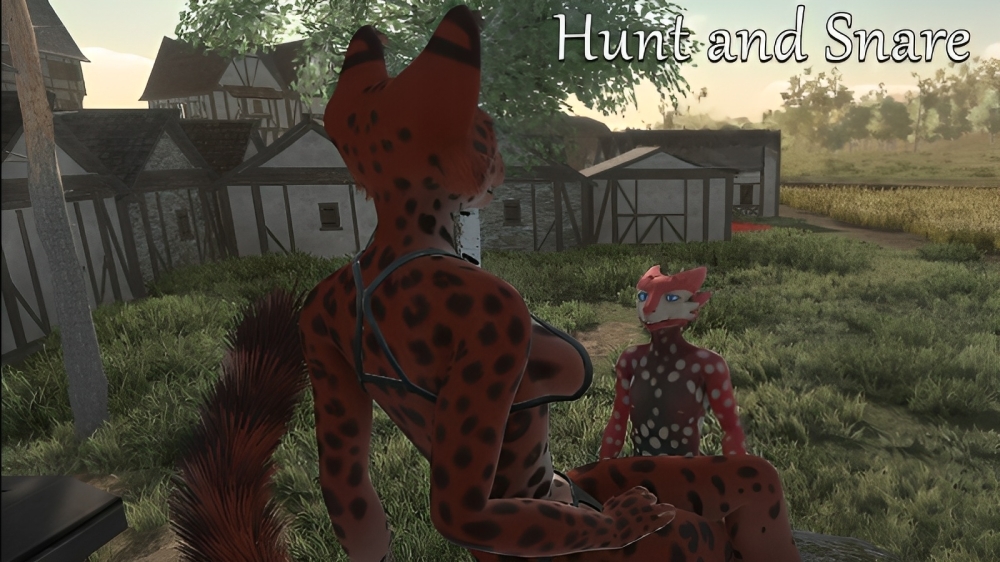
Hunt and Snare
Ongoing v.35f
- Developer
- Rufflenecks
- Release Date
- 31 December, 2025
- Engine
- Unity
- Censorship
- Uncensored
- Size
- 3.58 GB
- Version
- 35f
Genres
Game Description
You lost your duties as a butler due to the incident at The Dragon's Castle, but now that you own a ship and can explore the Sky Realm unhinged, you have decided to become a hunter. You've heard that various islands of the Sky Realm have mysterious species that are highly priced as companions, professionals, and show pieces."
Description one liner:A third person view game where you explore, sneak, hunt, and sexplore with your sky ship crew.
Extract to desired location.
Open "Game.exe" to start playing the game.
Open "Game.exe" to start playing the game.
No patch notes available.
- Dual Core Pentium or equivalent Processor.
- Intel HD 2000 or equivalent Graphics.
- 3.58 GB of free disk space (Recommended to have twice as much free disk space).
Hunt and Snare - Ongoing - v.35f Download Links
Hunt and Snare is a porn game made on Unity game engine.
The current available version is v.35f.
The contents of the game are Uncensored. Hunt and Snare is developed by Rufflenecks.
Please support the developer if you want continued development.
Download links are gathered from public sources. We do not host or modify contents.
Walkthrough and Guide
Instructions:
Controls
Rotate camera with by holding left mouse button
Scroll wheel to zoom in/out
F1-F4 changes quality levels (same as launcher quality settings)
ESC returns to main menu
1,2,0 keys switch between POVs and Default camera
You can customize colors by copy pasting HEX code to the #000000 slot below color buttons
Island controls:
WASD to move
Hold SHIFT to run
Press CTRL to toggle sneaking on/off
Hold E to interact with characters (follow/unfollow, capture) and locations
Press SPACE to "finish" animations
ESC returns to main menu
Hold M to display map
Press SPACE to climb ladders
In Act: hold RIGHT mouse button to rotate camera
In Act: Scroll wheel zooms in/out
Controls
Rotate camera with by holding left mouse button
Scroll wheel to zoom in/out
F1-F4 changes quality levels (same as launcher quality settings)
ESC returns to main menu
1,2,0 keys switch between POVs and Default camera
You can customize colors by copy pasting HEX code to the #000000 slot below color buttons
Island controls:
WASD to move
Hold SHIFT to run
Press CTRL to toggle sneaking on/off
Hold E to interact with characters (follow/unfollow, capture) and locations
Press SPACE to "finish" animations
ESC returns to main menu
Hold M to display map
Press SPACE to climb ladders
In Act: hold RIGHT mouse button to rotate camera
In Act: Scroll wheel zooms in/out