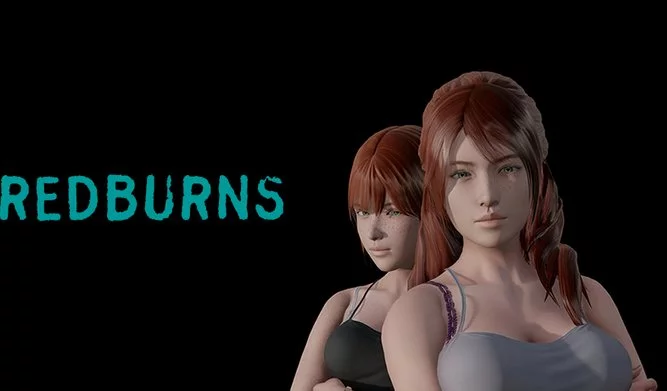
Kindread: The Redburns
Abandoned v.Ch. 5
- Developer
- Inkalicious
- Release Date
- 3 November, 2020
- Engine
- Ren'Py
- Censorship
- Uncensored
- Size
- 584.0 MB
- Version
- Ch. 5
Genres
Game Description
You are the only guy in a small group in the midst of the zombie apocalypse.
As your attraction to the others has grown, so has your libido and boldness. Unfortunately, no-one else seems to share your desires and, except for a recent act of bravery, your actions now find you in danger of being expelled from the group.
While this VN contains zombies, they are the background to how the characters relationships are affected by their new reality.
Extract to desired location.
Click on "KindredTheRedburnsTeaser.exe" to start playing.
Click on "KindredTheRedburnsTeaser.exe" to start playing.
No patch notes available.
- Dual Core Pentium or equivalent Processor.
- Intel HD 2000 or equivalent Graphics.
- 584.0 MB of free disk space (Recommended to have twice as much free disk space).
Kindread: The Redburns - Abandoned - v.Ch. 5 Download Links
Kindread: The Redburns is a porn game made on Ren'Py game engine.
The current available version is v.Ch. 5.
The contents of the game are Uncensored. Kindread: The Redburns is developed by Inkalicious.
Please support the developer if you want continued development.
Download links are gathered from public sources. We do not host or modify contents.
Walkthrough and Guide
CH5 WALKTHROUGH: FILEKNOT - ANONZIP
WALKTHROUGH MOD PC: FILEKNOT - ANONZIP
WALKTHROUGH MOD INSTALLATION PC: Extract to game folder and replace as usual.
MULTI-MOD STANDARD EDITION: FILEKNOT - ANONZIP
MULTI-MOD FAMILY EDITION: FILEKNOT - ANONZIP
MULTI-MOD INSTALLATION:
PC: Unzip the mod and put the folder named "game" from the mod in your "TheRedburns_Ch*_pc" folder. Overwrite files if required.
MAC: Unzip the mod -> Right-click your "TheRedburns" app -> Click "Show Package Contents" -> Open the "Contents" then "Resources" folders -> Hold the Option key and drag the folder named "game" from the mod to the "autorun" folder -> Click merge
MULTI-MOD FEATURES:
WALKTHROUGH MOD PC: FILEKNOT - ANONZIP
WALKTHROUGH MOD INSTALLATION PC: Extract to game folder and replace as usual.
MULTI-MOD STANDARD EDITION: FILEKNOT - ANONZIP
MULTI-MOD FAMILY EDITION: FILEKNOT - ANONZIP
MULTI-MOD INSTALLATION:
PC: Unzip the mod and put the folder named "game" from the mod in your "TheRedburns_Ch*_pc" folder. Overwrite files if required.
MAC: Unzip the mod -> Right-click your "TheRedburns" app -> Click "Show Package Contents" -> Open the "Contents" then "Resources" folders -> Hold the Option key and drag the folder named "game" from the mod to the "autorun" folder -> Click merge
MULTI-MOD FEATURES:
- Adds an in-game walkthrough for the important choices.
- Adds a scene replay gallery to the main menu.