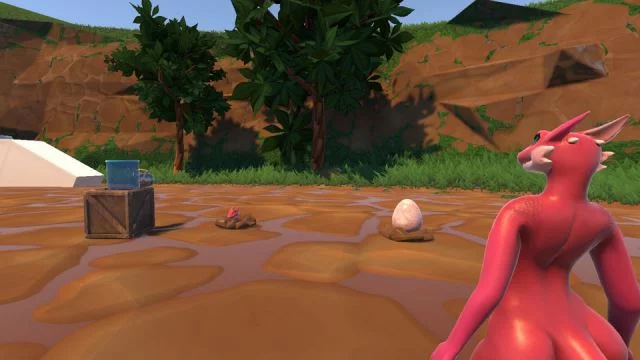
Screenshots
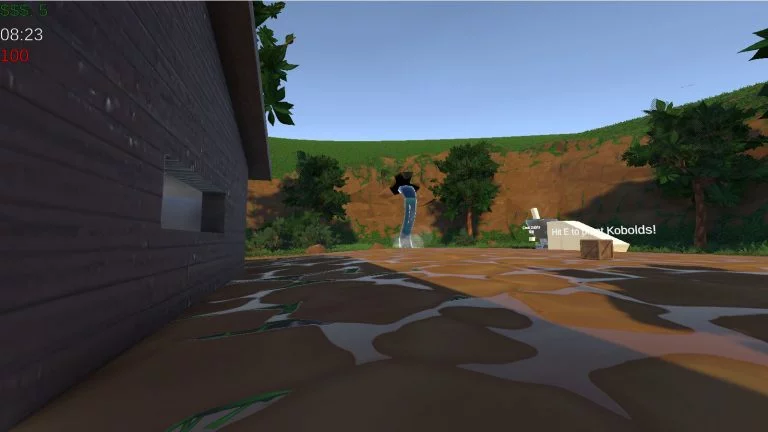
Genres
Game Description
KoboldKare is a farming game where you can buy, grow, and sell cute kobolds.
Extract and run.
No patch notes available.
- Dual Core Pentium or equivalent Processor.
- Intel HD 2000 or equivalent Graphics.
- 651.4 MB of free disk space (Recommended to have twice as much free disk space).
KoboldKare - Finished - v.2025-11-04 89b439fb Download Links
KoboldKare is a porn game made on Unity game engine.
The current available version is v.2025-11-04 89b439fb.
The contents of the game are Uncensored. KoboldKare is developed by Naelstrof.
Please support the developer if you want continued development.
Download links are gathered from public sources. We do not host or modify contents.
Walkthrough and Guide
Multiplayer Patch Version: FILEKNOT - ANONZIP
WORKSHOP MODS: FILEKNOT - ANONZIP
Github VR Mod
Wiki
BUILDING THE GAME:
Install with winget
Note: Make sure to restart your computer before you start so that Git can work correctly.
Steps:
Localization setup: Open the Addressables Groups window in the Unity Editor (Window>Asset Management>Addressables>Groups) then in the Addressables Groups window, select Build on the top menu
To play in the editor, navigate to
Updating:
Controls:
WASD to move, hold left click to grab, right click to activate/throw, and E to use.
Q also kills you.
Important Notes:
- The graphic violence tag was added because your character explodes into pieces and blood if you press the Q key.
WORKSHOP MODS: FILEKNOT - ANONZIP
Github VR Mod
Wiki
BUILDING THE GAME:
Install with winget
winget install Git.Git BlenderFoundation.Blender Unity.UnityHub
Note: Make sure to restart your computer before you start so that Git can work correctly.
Steps:
- Right click where you want KoboldKare Source code folder and select "Git Bash Here". (set where to download)
- Type in
git clone https://github.com/naelstrof/KoboldKare.git" and wait for it to complete. (download the source code and required packages) - Open unity hub, login and skip editor installation for now. (activate unity license on computer)
- In Projects tap click on open and open the folder where KoboldKare source code is. (show where the source code is to unity hub)
- Open KoboldKare and download the missing version (install the correct version)
- wait for it to import, and when its done you should have a fully working copy. (initial setup)
Localization setup: Open the Addressables Groups window in the Unity Editor (Window>Asset Management>Addressables>Groups) then in the Addressables Groups window, select Build on the top menu
To play in the editor, navigate to
Assets/KoboldKare/Scenes in the editor browser, open MainMenu, and click on the play button. To build the game click on Build Settings in File, make sure copy PDB files is off, and click build then where you want it to save.
Updating:
- Right click where the KoboldKare Source code is and select
Git Bash Here. - Type in "git reset --hard" (discard unsaved changes so git doesn't yell at you for it.)
- Then type in
git pull origin master(download latest version from GitHub) - Open the project and wait for it to import, and when its done you should have a updated version. (import new assets)
Controls:
WASD to move, hold left click to grab, right click to activate/throw, and E to use.
Q also kills you.
Important Notes:
- The graphic violence tag was added because your character explodes into pieces and blood if you press the Q key.