Genres
Game Description
The story is about an independent young girl who decides to move to another country to start a new life after losing her family. Slowly, she discovers herself, her heritage and her destiny.
Extract to desired location.
Click on "executable_name.exe" to start playing.
Click on "executable_name.exe" to start playing.
No patch notes available.
- Dual Core Pentium or equivalent Processor.
- Intel HD 2000 or equivalent Graphics.
- 4.75 GB of free disk space (Recommended to have twice as much free disk space).
Project SAGE - Abandoned - v.Act 1 v0.19d Download Links
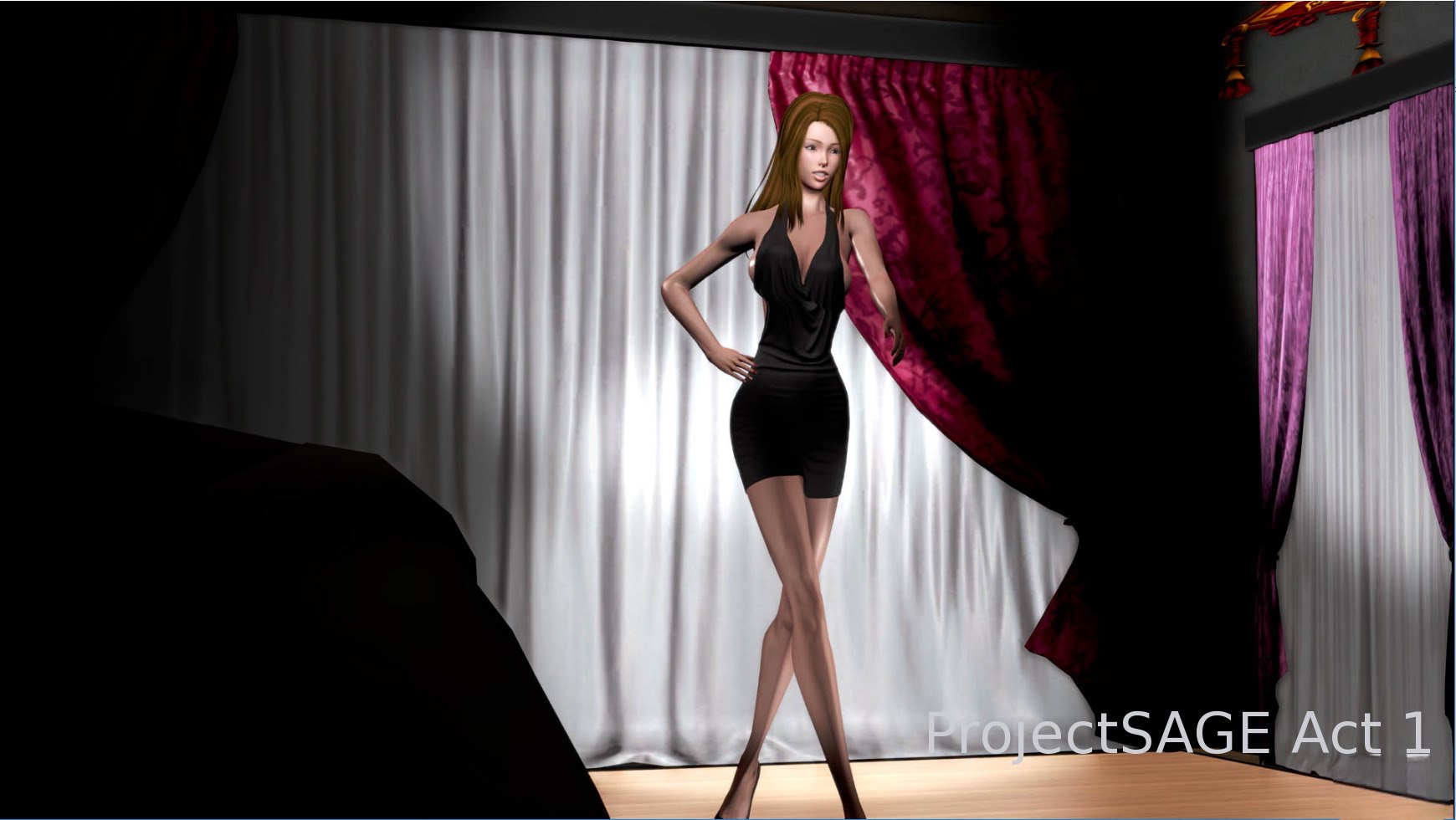
Project SAGE is a porn game made on Ren'py game engine.
The current available version is v.Act 1 v0.19d.
The contents of the game are Uncensored. Project SAGE is developed by Paperwork.
Please support the developer if you want continued development.
Download links are gathered from public sources. We do not host or modify contents.
Walkthrough and Guide
Walkthrough: FILEKNOT - ANONZIP
Developer's Guide: FILEKNOT - ANONZIP
Cheat Mod: FILEKNOT - ANONZIP
Cheat Mod Installation:
Win: Extract the content of the archive in the \game directory.
Mac: Extract the content of the archive in the Contents\Resources\autorun\game directory.
Currently the mod is separated in 3 files, you can delete some of them with unwanted functionality (Progress screen and additional controls are in one file).
Cheat Mod Features:
Gallery Mod: FILEKNOT - ANONZIP
Gallery Mod Installation:
1- Unzip the mod
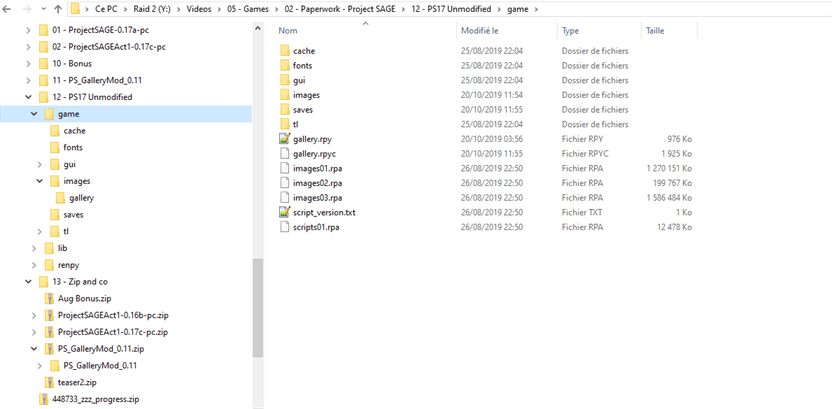
2- Copy the game folder from the mod into your ProjectSage folder
3- No file from the game are modified. So it can be added / removed at anytime.
4- It should look like that after the installation (on a PC):
Gallery Mod Features:
1- Add a gallery in the main menu
2- Add a link to L7bear walkthrough in the main menu
3- Add a link to Paperwork patreon as he deserves it !
Transparent Mod: FILEKNOT - ANONZIP
Transparent Mod Installation:
1- Unzip the mod
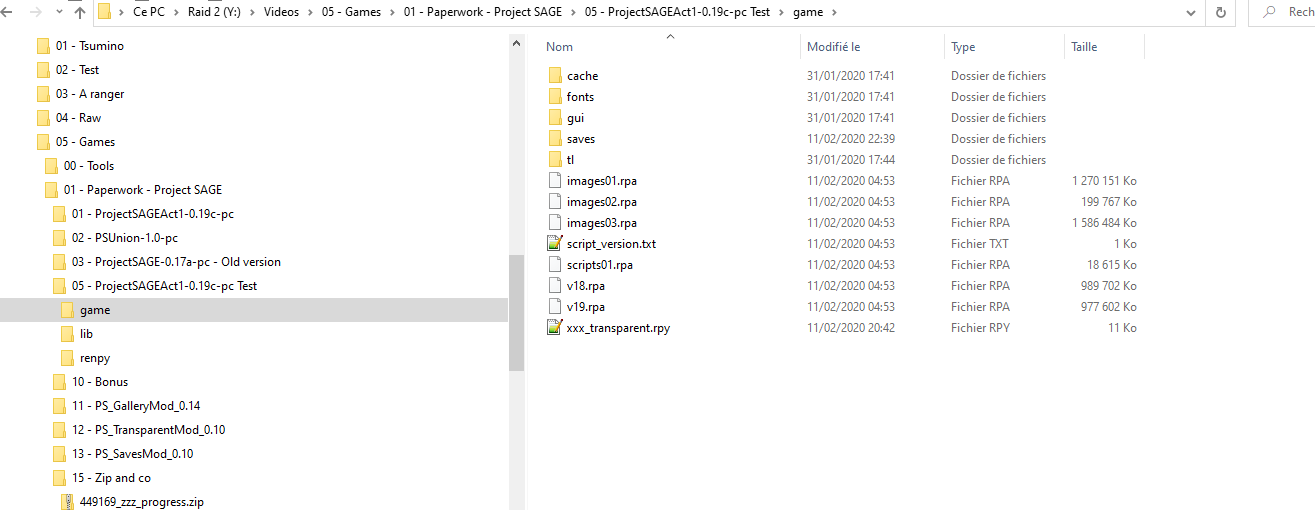
2- Copy the game folder from the mod into your ProjectSage folder
3- No file from the game are modified. So it can be added / removed at anytime.
4- It should look like that after the installation (on a PC):
Saves Mod: FILEKNOT - ANONZIP
Saves Mod Installation:
1- Unzip the mod
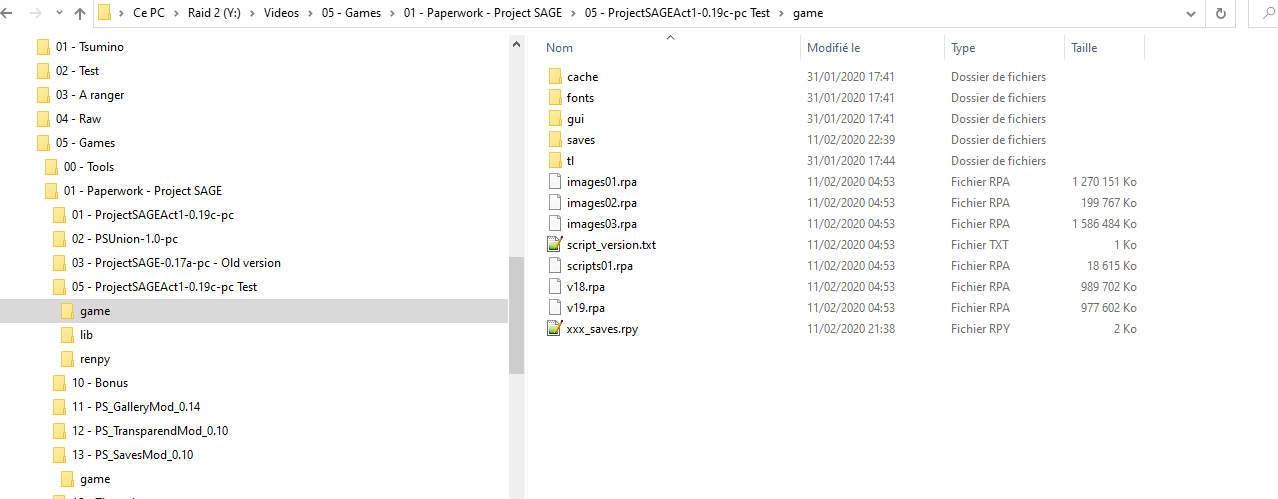
2- Copy the game folder from the mod into your ProjectSage folder
3- 2 files from the base game are modified (/game/gui/buttonslot_hover_background & slot_idle_background). These files are optional and are not required for the mod to run. They just modify the global look of the save slots. So if you want to keep the base game as it is, don't install them![;)]()
4- It should look like that after the installation (on a PC):
Developer's Guide: FILEKNOT - ANONZIP
Cheat Mod: FILEKNOT - ANONZIP
Cheat Mod Installation:
Win: Extract the content of the archive in the \game directory.
Mac: Extract the content of the archive in the Contents\Resources\autorun\game directory.
Currently the mod is separated in 3 files, you can delete some of them with unwanted functionality (Progress screen and additional controls are in one file).
Cheat Mod Features:
- "Progress" screen to see missed/completed scenes with small tips for most game events
- Randomized Main menu background with images from previous game versions
- Cheat for bathroom peek event - now you can choose who will peek on you
- Additional keyboard controls:
- Use 1~9 number keys to pick a choice in a Choice menus
- Use ` key to make a rollback
Gallery Mod: FILEKNOT - ANONZIP
Gallery Mod Installation:
1- Unzip the mod
2- Copy the game folder from the mod into your ProjectSage folder
3- No file from the game are modified. So it can be added / removed at anytime.
4- It should look like that after the installation (on a PC):
Gallery Mod Features:
1- Add a gallery in the main menu
2- Add a link to L7bear walkthrough in the main menu
3- Add a link to Paperwork patreon as he deserves it !
Transparent Mod: FILEKNOT - ANONZIP
Transparent Mod Installation:
1- Unzip the mod
2- Copy the game folder from the mod into your ProjectSage folder
3- No file from the game are modified. So it can be added / removed at anytime.
4- It should look like that after the installation (on a PC):
Saves Mod: FILEKNOT - ANONZIP
Saves Mod Installation:
1- Unzip the mod
2- Copy the game folder from the mod into your ProjectSage folder
3- 2 files from the base game are modified (/game/gui/buttonslot_hover_background & slot_idle_background). These files are optional and are not required for the mod to run. They just modify the global look of the save slots. So if you want to keep the base game as it is, don't install them
4- It should look like that after the installation (on a PC):