
Unity Finished 2DCGAdventureAnal SexBig AssBig TitsCreampieFuta/transGropingGroup SexHandjobInterracialLactationMale ProtagonistMasturbationMultiple EndingsMultiple penetrationOral SexPoint & ClickRPGRapeRomanceTentaclesTitfuckTransformationVaginal SexVoyeurism MacWindows
Screenshots

Genres
Game Description
In Salvor DEEP you play as a Salvor dispatcher.
With money dwindling fast you decide to spend the last of your cash on a new diving pod. Now you can only afford a first-time volunteer salvor. She has no experience with these sunken wrecks and is somehow even more broke than you. She will rely on you to guide and teach her about the art of salvaging.
Under-equipped and broke, your job is to protect her (or don't) from the various pirates, hazards, and creatures that lurk in these ancient wrecks.
Extract and run.
No patch notes available.
- Dual Core Pentium or equivalent Processor.
- Intel HD 2000 or equivalent Graphics.
- 66.6 MB of free disk space (Recommended to have twice as much free disk space).
Salvor DEEP - Finished - v.1.00.4 Steam Download Links
Salvor DEEP is a porn game made on Unity game engine.
The current available version is v.1.00.4 Steam.
The contents of the game are Uncensored. Salvor DEEP is developed by Delusria.
Please support the developer if you want continued development.
Download links are gathered from public sources. We do not host or modify contents.
Walkthrough and Guide
Cheat Table Attachment 1: FILEKNOT - ANONZIP
Cheat Table Attachment 2: FILEKNOT - ANONZIP
- What's Cheat Engine:
It's a powerful cheating/debugging tool (rather a framework) with a huge variety of utilities to let you modify or 'cheat' any executable at runtime provided you know what you are doing. Cheat Engine and its author Dark Byte has been around for more than 20 years still supporting the development to this day.
- How do I get a copy of Cheat Engine:
There are several ways to download the tool:
NB: Cheat Engine is available on Windows and MacOS only.
NB: Make sure you have the LATEST or at least a penultimate version of CE when using others' cheat tables to avoid incompatibility issues
- How does Cheat Engine work:
It's basically a debugging tool on steroids. There's a lot to unpack on how it works, but my scripts rely on AOB signatures (be they hardcoded ASM cheats, pointers with offsets, etc) and LUA scripting. The challenge is to create consistent and resilient cheats working between versions, but there's nothing permanent with compilers and optimizations.
AOB signatures work like this: a byte signature is scanned to find the first match in the .text (code) section, then CE gracefully injects a detour jump to the allocated cheat script (or in a code cave) that tweaks the game behavior and then returns to the next instruction after the injection. Sometimes AOB-based cheat scripts modify a function's behavior in-place.
Lua scripts that are running in the CE's lua engine are basically meta-scripts to extend CE's functionality with a neat API.
- Where do I put a cheat table / .CT file:
Wherever you deem suitable, usually tables are standalone .CT files and making dependencies for them isn't a good practice. When you run a cheat table, it's loaded into and interpreted by Cheat Engine.
- How to use Cheat Engine:
First of all, make sure your Cheat Engine instance is running with administrator rights to make sure it is able to read, write to memory and communicate with kernel properly. To do that, you can grant administrator rights by clicking RMB on Cheat Engine shortcut (to open its context menu), then go to Properties -> Compatibility (tab) and tick 'Run this program as an administrator'. Likewise, you can go to CE settings (when in the CE GUI, Edit->Settings) you can also find 'Always attempt to launch as admin' option. Or if you need it once, just run CE as an administrator (RMB on the CE shortcut, 'Run as an administrator'
For cases when tables DON'T have an attach script in them:
When Cheat Engine is opened and/if a cheat table for a specific game is loaded into it, the first thing that's needed is to attach to the specific game executable.
Attach button is highlighted:
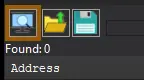
After pressing this button, you will see active processes with their PIDs exposed by Windows. If you struggle to find yours, check other tabs, there are 3 of them: Application, Processes, Windows.
For cases when tables DO have an attach script in them:
You'll see a script like *this*, just activate the checkbox. Does it fail to attach? Please read 'Why does the attach script fails when I activate it?' below
Attach script:

Once you are attached, activate other scripts that you need and have fun. Usually scripts are quite simple to use, but if there are instructions, just follow them to make it work. Sometimes certain actions are required for scripts to work properly, .e.g pressing a button to catch a pointer, loading into the game/level world to ensure a character actor is constructed, etc.
Cheat Table Attachment 2: FILEKNOT - ANONZIP
- What's Cheat Engine:
It's a powerful cheating/debugging tool (rather a framework) with a huge variety of utilities to let you modify or 'cheat' any executable at runtime provided you know what you are doing. Cheat Engine and its author Dark Byte has been around for more than 20 years still supporting the development to this day.
- How do I get a copy of Cheat Engine:
There are several ways to download the tool:
- Official Cheat Engine website - a free, compiled executable. While installing, make sure you decline all adware
- Dark Byte's Patreon - $2.5/mo membership to get the latest releases and hotfixes already compiled
- Cheat Engine Github - if you want to compile it or CE github releases
NB: Cheat Engine is available on Windows and MacOS only.
NB: Make sure you have the LATEST or at least a penultimate version of CE when using others' cheat tables to avoid incompatibility issues
- How does Cheat Engine work:
It's basically a debugging tool on steroids. There's a lot to unpack on how it works, but my scripts rely on AOB signatures (be they hardcoded ASM cheats, pointers with offsets, etc) and LUA scripting. The challenge is to create consistent and resilient cheats working between versions, but there's nothing permanent with compilers and optimizations.
AOB signatures work like this: a byte signature is scanned to find the first match in the .text (code) section, then CE gracefully injects a detour jump to the allocated cheat script (or in a code cave) that tweaks the game behavior and then returns to the next instruction after the injection. Sometimes AOB-based cheat scripts modify a function's behavior in-place.
Lua scripts that are running in the CE's lua engine are basically meta-scripts to extend CE's functionality with a neat API.
- Where do I put a cheat table / .CT file:
Wherever you deem suitable, usually tables are standalone .CT files and making dependencies for them isn't a good practice. When you run a cheat table, it's loaded into and interpreted by Cheat Engine.
- How to use Cheat Engine:
First of all, make sure your Cheat Engine instance is running with administrator rights to make sure it is able to read, write to memory and communicate with kernel properly. To do that, you can grant administrator rights by clicking RMB on Cheat Engine shortcut (to open its context menu), then go to Properties -> Compatibility (tab) and tick 'Run this program as an administrator'. Likewise, you can go to CE settings (when in the CE GUI, Edit->Settings) you can also find 'Always attempt to launch as admin' option. Or if you need it once, just run CE as an administrator (RMB on the CE shortcut, 'Run as an administrator'
For cases when tables DON'T have an attach script in them:
When Cheat Engine is opened and/if a cheat table for a specific game is loaded into it, the first thing that's needed is to attach to the specific game executable.
Attach button is highlighted:
After pressing this button, you will see active processes with their PIDs exposed by Windows. If you struggle to find yours, check other tabs, there are 3 of them: Application, Processes, Windows.
For cases when tables DO have an attach script in them:
You'll see a script like *this*, just activate the checkbox. Does it fail to attach? Please read 'Why does the attach script fails when I activate it?' below
Attach script:
Once you are attached, activate other scripts that you need and have fun. Usually scripts are quite simple to use, but if there are instructions, just follow them to make it work. Sometimes certain actions are required for scripts to work properly, .e.g pressing a button to catch a pointer, loading into the game/level world to ensure a character actor is constructed, etc.