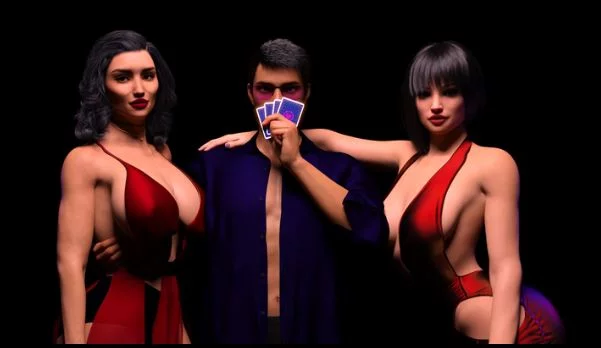
Shut Up and Dance
Ongoing v.Ep.1-10 Ch.2 v1.0 SE
- Developer
- Boring Games
- Release Date
- 5 July, 2025
- Engine
- Ren'Py
- Censorship
- Uncensored
- Size
- 9.80 GB
- Version
- Ep.1-10 Ch.2 v1.0 SE
Screenshots
Genres
3DCG Anal Sex Animated BDSM Big Ass Big Tits Cheating Corruption Creampie Footjob Group Sex Handjob Harem Incest Interracial Lesbian Male Domination Male Protagonist Masturbation MILF Mind Control Multiple Endings Multiple penetration Oral Sex Romance Spanking Swinging Titfuck Vaginal Sex Visual Novel
Game Description
"Shut Up and Dance" is a story about a guy whose life went wrong at one moment. A person that he loved and trusted died under strange circumstances and at a time everything that he had been used to just disappeared. And this situation seemed to be unchangeable until our protagonist received an interesting job offer that promised to make things better.
But was it a curse or a blessing? Would it really do him good?
Well, after all, it is you who will make the choices.
There's no NTR in the game. Sharing route is fully avoidable.
Extract & Run
Uncensor Patch Installation:
PC:
Extract to the "ShutUpAndDance/game" folder.
Do not change the name of the patch!
Android:
1.Install the APK, open it and close.
2.Create a folder "game" in 'Android/data/com.boringgames.shutupanddance/files/' and place the patch in the new folder.
3.Play the game.
Uncensor Patch Installation:
PC:
Extract to the "ShutUpAndDance/game" folder.
Do not change the name of the patch!
Android:
1.Install the APK, open it and close.
2.Create a folder "game" in 'Android/data/com.boringgames.shutupanddance/files/' and place the patch in the new folder.
3.Play the game.
No patch notes available.
- Dual Core Pentium or equivalent Processor.
- Intel HD 2000 or equivalent Graphics.
- 9.80 GB of free disk space (Recommended to have twice as much free disk space).
Shut Up and Dance - Ongoing - v.Ep.1-10 Ch.2 v1.0 SE Download Links
Shut Up and Dance is a porn game made on Ren'Py game engine.
The current available version is v.Ep.1-10 Ch.2 v1.0 SE.
The contents of the game are Uncensored. Shut Up and Dance is developed by Boring Games.
Please support the developer if you want continued development.
Download links are gathered from public sources. We do not host or modify contents.
Walkthrough and Guide
WALKTHROUGH: FILEKNOT - ANONZIP
GALLERY UNLOCKER: FILEKNOT - ANONZIP
SKIP TRANSITIONS: FILEKNOT - ANONZIP
WALKTHROUGH MOD: FILEKNOT - ANONZIP
WALKTHROUGH MOD INSTALLATION:
WALKTHROUGH MOD FEATURES:
MULTI MOD: FILEKNOT - ANONZIP
MULTI MOD INSTALLATION:
PC: Unzip the mod and put the folder named "game" from the mod into your "ShutUpAndDance" folder.
MAC: Unzip the mod -> Right-click your "ShutUpAndDance" app -> Click "Show Package Contents" -> Open the "Contents" then "Resources" folders -> Hold the Option key and drag the folder named "game" from the mod to the "autorun" folder -> Click merge
MULTI MOD FEATURES:
GALLERY UNLOCKER: FILEKNOT - ANONZIP
SKIP TRANSITIONS: FILEKNOT - ANONZIP
WALKTHROUGH MOD: FILEKNOT - ANONZIP
WALKTHROUGH MOD INSTALLATION:
WALKTHROUGH MOD FEATURES:
MULTI MOD: FILEKNOT - ANONZIP
MULTI MOD INSTALLATION:
PC: Unzip the mod and put the folder named "game" from the mod into your "ShutUpAndDance" folder.
MAC: Unzip the mod -> Right-click your "ShutUpAndDance" app -> Click "Show Package Contents" -> Open the "Contents" then "Resources" folders -> Hold the Option key and drag the folder named "game" from the mod to the "autorun" folder -> Click merge
MULTI MOD FEATURES:
- Adds an in-game walkthrough for the important choices.
- Provides an option to follow multiple paths at once.
- Adds a gallery unlock button.
- Adds an option to use keyboard numbers for menu choices.
- Adds Rename feature in Settings.
- Adds text size and textbox opacity sliders.
- Adds option to toggle Quick Menu via Q on the keyboard or in Settings.
- Removes choice box background.