Ren'Py Ongoing 3DCGAnimatedBig AssBig TitsExhibitionismFemale DominationFuta/transGraphic ViolenceGropingHumiliationIncestMILFMale DominationMale ProtagonistMobile GameRomanceSchool SettingStrippingTeasingVirginVisual Novel AndroidLinuxMacWindows
Genres
Game Description
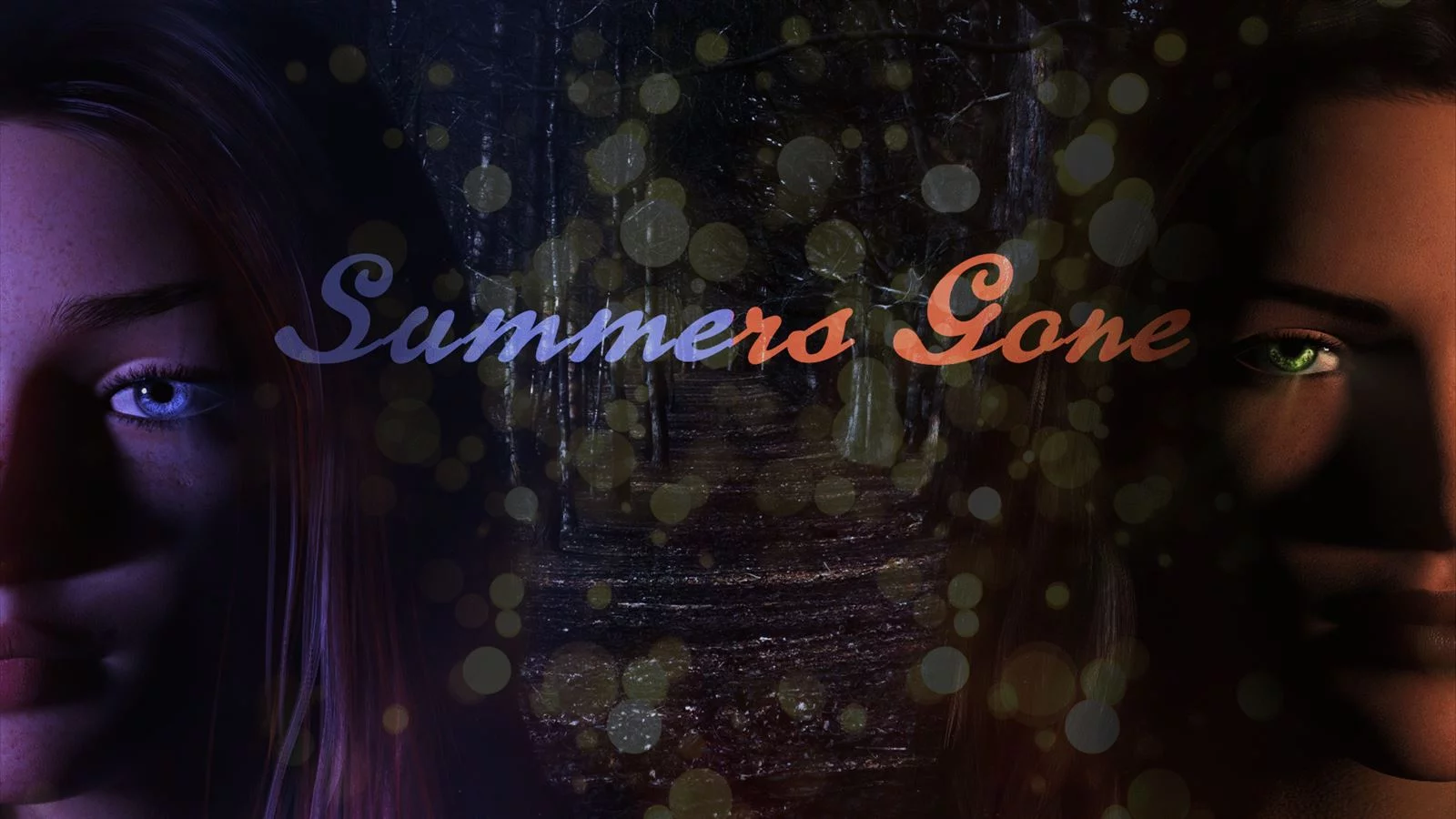
After a traumatic experience, a young spirit tries to find its way back into life. College is about to start and mysteries are about to unfold.
Extract and run the Summersgone.exe
Uncensor Patch Installation:
On PC: Move the "patch.rpy" and "patch.rpyc" file into the game folder.
On MAC: Place the patch.rpy and "patch.rpyc"file in: /contents/resources/autorun/game
Uncensor Patch Installation:
On PC: Move the "patch.rpy" and "patch.rpyc" file into the game folder.
On MAC: Place the patch.rpy and "patch.rpyc"file in: /contents/resources/autorun/game
No patch notes available.
- Dual Core Pentium or equivalent Processor.
- Intel HD 2000 or equivalent Graphics.
- 19.30 GB of free disk space (Recommended to have twice as much free disk space).
Summer's Gone - Ongoing - v.S2 Ch.1-3 Final Download Links
FileknotTransfazeFileknotTransfazeFileknotTransfazeFileknotTransfazeFileknotTransfazeFileknotTransfazeFileknotTransfazeFileknotTransfazeFileknotTransfazeFileknotTransfazeFileknotTransfazeFileknotTransfazeFileknotTransfazeFileknotTransfazeFileknotTransfazeFileknotTransfazeFileknotTransfazeFileknotTransfazeFileknotTransfazeFileknotTransfazeBuzzheavierDatanodesUploadnowVikingfileBuzzheavierDatanodesGofileMixdropBuzzheavierDatanodesGofileMixdropVikingfileBuzzheavierDatanodesGofileMixdropVikingfileBuzzheavierDatanodesGofileMixdropVikingfileBuzzheavierDatanodesGofileMixdropVikingfileKrakenfilesMegaPixeldrainQuWorkuploadKrakenfilesMegaPixeldrainQuWorkuploadKrakenfilesMegaPixeldrainQuWorkuploadKrakenfilesMegaPixeldrainQuWorkuploadKrakenfilesMegaPixeldrainQuWorkuploadKrakenfilesMegaPixeldrainQuWorkuploadKrakenfilesMegaPixeldrainQuWorkuploadDatanodesGofileMegaPixeldrainUploadhavenMegaMixdropPixeldrainWdhoMegaMixdropPixeldrainWdhoMegaMixdropPixeldrainWdhoDropmefilesGofileMediafireMixdropPixeldrainTransferUploadhavenMediafire
FileknotTransfazeFileknotTransfazeFileknotTransfazeFileknotTransfazeFileknotTransfazeFileknotTransfazeFileknotTransfazeFileknotTransfazeFileknotTransfazeFileknotTransfazeFileknotTransfazeFileknotTransfazeFileknotTransfazeBuzzheavierDatanodesUploadnowVikingfileBuzzheavierDatanodesGofileMixdropVikingfileBuzzheavierDatanodesGofileMixdropVikingfileBuzzheavierDatanodesGofileMixdropVikingfileBuzzheavierDatanodesGofileMixdropVikingfileBuzzheavierDatanodesGofileMixdropVikingfileDatanodesGofileMegaPixeldrainUploadhavenMegaMixdropPixeldrainWdhoMegaMixdropPixeldrainWdhoMegaMixdropPixeldrainWdhoMediafireMixdropPixeldrainMediafire
FileknotTransfazeFileknotTransfazeFileknotTransfazeFileknotTransfazeFileknotTransfazeFileknotTransfazeFileknotTransfazeFileknotTransfazeFileknotTransfazeFileknotTransfazeFileknotTransfazeFileknotTransfazeFileknotTransfazeBuzzheavierDatanodesUploadnowVikingfileBuzzheavierDatanodesGofileMixdropBuzzheavierDatanodesGofileMixdropVikingfileBuzzheavierDatanodesGofileMixdropVikingfileBuzzheavierDatanodesGofileMixdropVikingfileBuzzheavierDatanodesGofileMixdropVikingfileDatanodesGofileMegaPixeldrainUploadhavenMegaMixdropPixeldrainWdhoMegaMixdropPixeldrainWdhoMegaMixdropPixeldrainWdhoDropmefilesGofileMediafireMixdropPixeldrainTransferUploadhavenMediafire
Summer's Gone is a porn game made on Ren'Py game engine.
The current available version is v.S2 Ch.1-3 Final.
The contents of the game are Uncensored. Summer's Gone is developed by Regium.
Please support the developer if you want continued development.
Download links are gathered from public sources. We do not host or modify contents.
Walkthrough and Guide
Walkthrough: FILEKNOT
Save: FILEKNOT
LI list: FILEKNOT
Gallery Unlocker: FILEKNOT
Gallery Unlocker Installation:
Just place it in the game folder and everything should be unlocked.
Gallery Unlocker Features:
This script makes permanent changes to your persistent data.
Removing this script will not revert the changes that have been made.
Make a backup if you ever want to be able to revert back without completely removing your persistent data.
Walkthrough Mod Season 1: FILEKNOT
Walkthrough Mod Season 2: FILEKNOT
Walkthrough Mod Installation:
Walkthrough Mod Features:
Season 1 Music restoration Mod F95 version: FILEKNOT
Season 1 Music restoration Mod Steam version: FILEKNOT
Music restoration Mod Installation:
Unzip the mod and put the "game" folder in your Summer's Gone root directory (where the original game folder is). Overwrite files when asked.
Music restoration Mod Features:
Season 1 Gallery Unlocker: FILEKNOT
Gallery Unlocker Installation:
Extract the Zip and move the files+subfolders into your "...\game\" folder
(on Android it's under "...\Documents\RenPy_Saves\com.koga3.summersgoneseason1\game\"
Info: don't forget to remove these files/folders on Android again with the next port update, otherwise it would interfere with that upcoming release.
If needed here also the replay/gallery unlocker + settings Mod for Season 1 for PC: FILEKNOT
If needed here also the replay/gallery unlocker + settings Mod for Season 1 for PC Installation:
Extract the files and folder "Benutzerdefiniert" into the .../game/ folder)
Uncut Mod v2.03 Uncut Edition: FILEKNOT
Uncut Mod v2.03 Uncut Taboo Edition: FILEKNOT
Uncut Mod Installation:
Unzip the file and move the content of the unzipped folder into the "game" subfolder of your Summer's Gone season 1 folder.
To uninstall the mod, remove the "uncut.rpy" and "uncut.rpyc" files as well as the "gui", "Benutzerdefiniert" and "images" folders.
Framerate Mod: FILEKNOT
Framerate Mod Installation:
1.Copy the "game" folder into the game’s root directory (the same folder where "game.exe" is located).
2.The modded files will now take priority over the original animations.
3.Launch the game and enjoy smoother, enhanced visuals!
MAC installation:
Click on game icon and follow this path: Show Pacakge Contents/Contents/Resources/Autorun
Grab and drag the game folder onto the autorun folder while holding the alt key, release on it when you will see the green plus button, then click merge on the pop up window that will appear.
Framerate Mod Features:
19 animations
19 new animations this update
All compatible animations have been converted to HFR, ensuring fluid and lifelike motion.
Beyond higher framerates, every animation has been re-encoded with optimized parameters to deliver subtle yet impactful visual improvements.
Save: FILEKNOT
LI list: FILEKNOT
Gallery Unlocker: FILEKNOT
Gallery Unlocker Installation:
Just place it in the game folder and everything should be unlocked.
Gallery Unlocker Features:
This script makes permanent changes to your persistent data.
Removing this script will not revert the changes that have been made.
Make a backup if you ever want to be able to revert back without completely removing your persistent data.
Walkthrough Mod Season 1: FILEKNOT
Walkthrough Mod Season 2: FILEKNOT
Walkthrough Mod Installation:
- Merge the folder "game" from the mod with the one is your Summer's Gone Folder
Walkthrough Mod Features:
- Highlighed/added hints to dialogue
- Cheat mod for editing points (will be expanded later)
- Can see all scenes where option to view one is given
Season 1 Music restoration Mod F95 version: FILEKNOT
Season 1 Music restoration Mod Steam version: FILEKNOT
Music restoration Mod Installation:
Unzip the mod and put the "game" folder in your Summer's Gone root directory (where the original game folder is). Overwrite files when asked.
Music restoration Mod Features:
- Add an option to the Preferences screen to switch to original sountrack.
- You can switch mode during the game. If a song has already started, it won't switch unless you rollback before it starts.
- The mod also restore a cutscene from Chapter 3 (probably removed to fit the soundtrack changes).
Season 1 Gallery Unlocker: FILEKNOT
Gallery Unlocker Installation:
Extract the Zip and move the files+subfolders into your "...\game\" folder
(on Android it's under "...\Documents\RenPy_Saves\com.koga3.summersgoneseason1\game\"
Info: don't forget to remove these files/folders on Android again with the next port update, otherwise it would interfere with that upcoming release.
If needed here also the replay/gallery unlocker + settings Mod for Season 1 for PC: FILEKNOT
If needed here also the replay/gallery unlocker + settings Mod for Season 1 for PC Installation:
Extract the files and folder "Benutzerdefiniert" into the .../game/ folder)
Uncut Mod v2.03 Uncut Edition: FILEKNOT
Uncut Mod v2.03 Uncut Taboo Edition: FILEKNOT
Uncut Mod Installation:
Unzip the file and move the content of the unzipped folder into the "game" subfolder of your Summer's Gone season 1 folder.
To uninstall the mod, remove the "uncut.rpy" and "uncut.rpyc" files as well as the "gui", "Benutzerdefiniert" and "images" folders.
Framerate Mod: FILEKNOT
Framerate Mod Installation:
1.Copy the "game" folder into the game’s root directory (the same folder where "game.exe" is located).
2.The modded files will now take priority over the original animations.
3.Launch the game and enjoy smoother, enhanced visuals!
MAC installation:
Click on game icon and follow this path: Show Pacakge Contents/Contents/Resources/Autorun
Grab and drag the game folder onto the autorun folder while holding the alt key, release on it when you will see the green plus button, then click merge on the pop up window that will appear.
Framerate Mod Features:
19 animations
19 new animations this update
All compatible animations have been converted to HFR, ensuring fluid and lifelike motion.
Beyond higher framerates, every animation has been re-encoded with optimized parameters to deliver subtle yet impactful visual improvements.