Unity Ongoing 2DCGAhegaoAi CGAnal SexAnimatedBDSMBig AssBig TitsBlackmailCheatingCorruptionCreampieDrugsExhibitionismFemale DominationFemale ProtagonistFuta/transGropingGroup SexHandjobHaremHumiliationIncestInternal ViewInterracialLactationLesbianMILFMale DominationMale ProtagonistMasturbationMind ControlMobile GameMultiple protagonistNetorareOral SexPoint & ClickRapeSandboxScatSchool SettingSex ToysSlaveSpankingTeasingTitfuckUrinationVaginal SexVirginVoyeurism AndroidLinuxMacWindows
Genres
2DCG Ahegao Ai CG Anal Sex Animated BDSM Big Ass Big Tits Blackmail Cheating Corruption Creampie Drugs Exhibitionism Female Domination Female Protagonist Futa/trans Groping Group Sex Handjob Harem Humiliation Incest Internal View Interracial Lactation Lesbian MILF Male Domination Male Protagonist Masturbation Mind Control Mobile Game Multiple protagonist Netorare Oral Sex Point & Click Rape Sandbox Scat School Setting Sex Toys Slave Spanking Teasing Titfuck Urination Vaginal Sex Virgin Voyeurism
Game Description
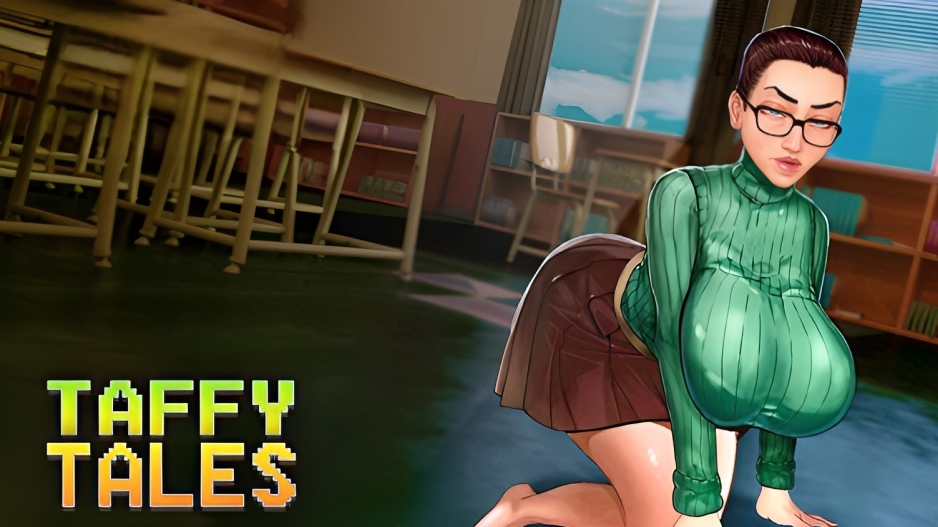
In "Taffy Tales" you will see the story of a regular guy with a split personality and his journey in a small town where almost every common citizen has his uncommon dark side. Dozens of characters with their families and relations, an original story, lots of side quests and a lot of adult art awaits you!
The NTR in Taffy Tales is both completely optional and very easily avoidable.
Extract to desired location.
Click on "executable_name.exe" to start playing.
Patch Installation Guide:
Please follow these steps carefully to avoid any issues!
For PC, Mac, and Linux users:
Download the patch file for your corresponding platform from the links above. Do not unzip the file.
Open the game, go to the main menu, and click on the 'Mods' button.
In the window that appears, click the 'Install' button and navigate to the location of the patch file you just downloaded.
After the installation is complete, the name of the patch will appear in your list of mods.
Close the window and continue your game.
For Android users:
Download and install the latest version of the game.
Download the patch for the Android version.
Extract the contents of the downloaded archive to a convenient location (for example, your 'Downloads' folder).
Launch the game, and from the main menu, open the mods menu by tapping the 'Mods' button.
Tap the 'Install' button, and in the window that appears, tap 'Browse'.
You now need to grant the game access to the folder where you extracted the patch files.
Navigate to the folder you unpacked earlier and tap 'Use this folder'.
IMPORTANT: You are selecting the entire folder, not a single file.
Select the mod archive file and tap 'Select'.
The mod is now installed. You can close the mods window.
Click on "executable_name.exe" to start playing.
Patch Installation Guide:
Please follow these steps carefully to avoid any issues!
For PC, Mac, and Linux users:
Download the patch file for your corresponding platform from the links above. Do not unzip the file.
Open the game, go to the main menu, and click on the 'Mods' button.
In the window that appears, click the 'Install' button and navigate to the location of the patch file you just downloaded.
After the installation is complete, the name of the patch will appear in your list of mods.
Close the window and continue your game.
For Android users:
Download and install the latest version of the game.
Download the patch for the Android version.
Extract the contents of the downloaded archive to a convenient location (for example, your 'Downloads' folder).
Launch the game, and from the main menu, open the mods menu by tapping the 'Mods' button.
Tap the 'Install' button, and in the window that appears, tap 'Browse'.
You now need to grant the game access to the folder where you extracted the patch files.
Navigate to the folder you unpacked earlier and tap 'Use this folder'.
IMPORTANT: You are selecting the entire folder, not a single file.
Select the mod archive file and tap 'Select'.
The mod is now installed. You can close the mods window.
No patch notes available.
- Dual Core Pentium or equivalent Processor.
- Intel HD 2000 or equivalent Graphics.
- 3.24 GB of free disk space (Recommended to have twice as much free disk space).
Taffy Tales - Ongoing - v.S2 Redux v1.0.36 Download Links
Taffy Tales is a porn game made on Unity game engine.
The current available version is v.S2 Redux v1.0.36.
The contents of the game are Uncensored. Taffy Tales is developed by UberPie.
Please support the developer if you want continued development.
Download links are gathered from public sources. We do not host or modify contents.
Walkthrough and Guide
Cheat Code:
Tiffany's computer password: RedQueen
Season 1 Redux - taffytown
Season 5 (v1.07.3c) Codes:
Save Code: ariona
Cheat Code: theora
Code for Tiffany's box is 06310
Beatrix laptop password: KittenSickSadism
Season 1-4 (0.89.8a) Codes:
save code: ocusar
cheat: dilder
Full Gallery (S1 Redux Version): FILEKNOT
Full Gallery Installation:
Unzip it on
%userprofile%\AppData\LocalLow\UberPie\Taffy Tales Redux Season 1
Gallery Unlock Season 5 (v1.07.3c): FILEKNOT
Gallery unlock Season 1-4 (v0.89.8c): FILEKNOT
Gallery unlock Installation:
Just extract to the TaffyTales game folder and "overwrite".
Save Editor (v0.85.1a): FILEKNOT
Save Editor Installation:
Tiffany's computer password: RedQueen
Season 1 Redux - taffytown
Season 5 (v1.07.3c) Codes:
Save Code: ariona
Cheat Code: theora
Code for Tiffany's box is 06310
Beatrix laptop password: KittenSickSadism
Season 1-4 (0.89.8a) Codes:
save code: ocusar
cheat: dilder
Full Gallery (S1 Redux Version): FILEKNOT
Full Gallery Installation:
Unzip it on
%userprofile%\AppData\LocalLow\UberPie\Taffy Tales Redux Season 1
Gallery Unlock Season 5 (v1.07.3c): FILEKNOT
Gallery unlock Season 1-4 (v0.89.8c): FILEKNOT
Gallery unlock Installation:
Just extract to the TaffyTales game folder and "overwrite".
DLL file that will fully unlock the Gallery, including "ReWorked".
Save Editor (v0.85.1a): FILEKNOT
Save Editor Installation:
Download and execute it.
Save Editor Features:
Save Editor locations:
Linux: ~/.config/unity3d/UberPie/TaffyTales/prefs
Mac: ~/Library/Preferences/unity.uberpie.taffytales.plist
Windows: HKEY_CURRENT_USER\SOFTWARE\UberPie\TaffyTales
Android (requires root): /data/data/com.UberPie.TaffyTales/shared_prefs/com.UberPie.TaffyTales.v2.playerprefs.xml
Save Editor Features:
- Rename your characters
- Unlock your gallery
- Change the in game date and time
- Manage money, stats, days
- Teleport to other locations
- Change your completed and active quests
- Manage the items in your inventory
- Change your choice about the contents allowed
- Change any value of your save
Save Editor locations:
Linux: ~/.config/unity3d/UberPie/TaffyTales/prefs
Mac: ~/Library/Preferences/unity.uberpie.taffytales.plist
Windows: HKEY_CURRENT_USER\SOFTWARE\UberPie\TaffyTales
Android (requires root): /data/data/com.UberPie.TaffyTales/shared_prefs/com.UberPie.TaffyTales.v2.playerprefs.xml