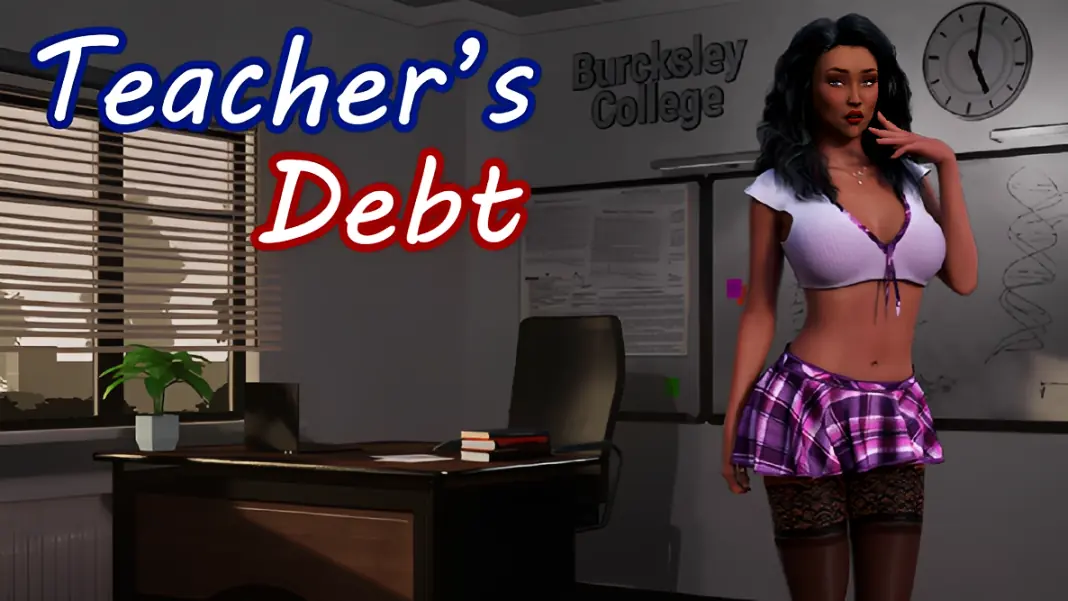
Teacher's Debt
Ongoing v.0.6d
- Developer
- XPoison
- Release Date
- 5 November, 2025
- Engine
- Unreal Engine
- Censorship
- Uncensored
- Size
- 2.22 GB
- Version
- 0.6d
Genres
Game Description
Your name is Adam, you are 18 years old and you are a college student. Your parents are very rich and you can buy everything in this life.
You're crazy about Victoria Parker, she's your college teacher
But when you asked her to date you, she turned you down in front of the whole class. You recently found out that because of her ex-husband, she has money
problems and the bank may take her house away from her for debts. She even had to rent a room to one of the students to pay the bills. You arranged to meet her after class. This is your chance to help her with her problem, and also a way to turn her into your obedient sex toy
Download
Run Teacher's Debt.exe
Enjoy!
Run Teacher's Debt.exe
Enjoy!
No patch notes available.
- Dual Core Pentium or equivalent Processor.
- Intel HD 2000 or equivalent Graphics.
- 2.22 GB of free disk space (Recommended to have twice as much free disk space).
Teacher's Debt - Ongoing - v.0.6d Download Links
Teacher's Debt is a porn game made on Unreal Engine game engine.
The current available version is v.0.6d.
The contents of the game are Uncensored. Teacher's Debt is developed by XPoison.
Please support the developer if you want continued development.
Download links are gathered from public sources. We do not host or modify contents.
Walkthrough and Guide
Full Save: FILEKNOT - ANONZIP
Save Installation:
put folder "SaveGames" from archive here: <System disk>:\Users\<Your user name>\AppData\Local\TeachersDebt\Saved\
Example:
1. Open File explorer, then Disk C:
2. Then go to Users, there will be folder with your OS user name AppData\Local\TeachersDebt\Saved\
3. Put there folder "SaveGames" from archive that i send you
Note:
If you get error after saves import, try to delete file "sv_options.sav" in folder
<System disk>:\Users\<Your user name>\AppData\Local\ TeachersDebt\Saved\SaveGames\
Save Installation:
put folder "SaveGames" from archive here: <System disk>:\Users\<Your user name>\AppData\Local\TeachersDebt\Saved\
Example:
1. Open File explorer, then Disk C:
2. Then go to Users, there will be folder with your OS user name AppData\Local\TeachersDebt\Saved\
3. Put there folder "SaveGames" from archive that i send you
Note:
If you get error after saves import, try to delete file "sv_options.sav" in folder
<System disk>:\Users\<Your user name>\AppData\Local\ TeachersDebt\Saved\SaveGames\