
Ren'Py Ongoing 3DCGAnal SexAnimatedBig AssBig TitsCreampieGropingGroup SexHandjobIncestLesbianMILFMale ProtagonistMasturbationMobile GameOral SexStrippingTeasingVaginal SexVirginVisual NovelVoyeurism AndroidLinuxMacWindows
Thief of Hearts
Ongoing v.P3 Ep.9 v0.0.9
- Developer
- MrDots Games
- Release Date
- 16 August, 2026
- Engine
- Ren'Py
- Censorship
- Uncensored
- Size
- 1.73 GB
- Version
- P3 Ep.9 v0.0.9
Screenshots
Genres
Game Description
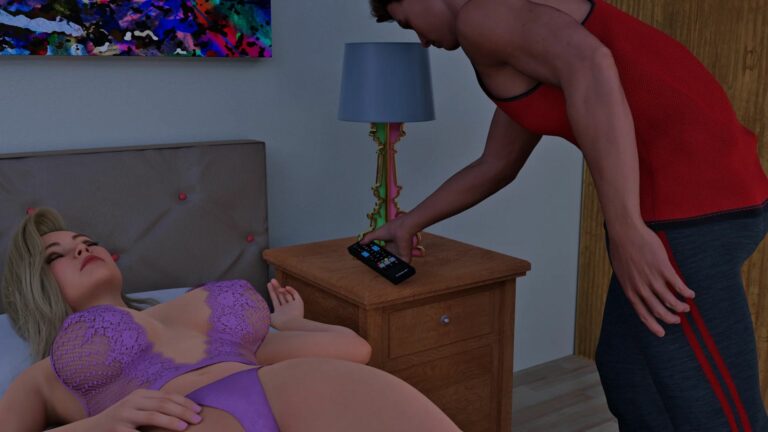
Embark on a thrilling journey where the line between right and wrong blurs, and the only constant is the fueled pulse of a life of crime. In "Thief of Hearts", as the main character, you'll step into the shoes of a young man who is navigating the shadowy world of theft, deception, and unexpected alliances.
You’ll meet new characters during your journey, but will you be able to see them as a friend, or foe? Are you ready to redefine what it means to be a modern-day rogue? The city is a playground, but danger lurks around every corner. Stay one step ahead and keep your cool, because getting caught is not an option.
You will join a handpicked team of specialists in a series of daring robberies set against the backdrop of a vibrant city. Strategize, plan, and execute high-stakes thefts that will keep you on the edge of your seat.
Will you be a lone wolf or a team player?
The choice is yours, and every decision shapes your destiny.
Note: To import your save you need a save made in "Part 1&2", at the SAVE HERE point.
Extract and run.
Loading Your Save
At the end of Part 1 (Episode 3 v0.0.3b), you were asked to save and give a title to your game save. When you hit "Start", you should be able to see your game save.
Loading Your Save
At the end of Part 1 (Episode 3 v0.0.3b), you were asked to save and give a title to your game save. When you hit "Start", you should be able to see your game save.
No patch notes available.
- Dual Core Pentium or equivalent Processor.
- Intel HD 2000 or equivalent Graphics.
- 1.73 GB of free disk space (Recommended to have twice as much free disk space).
Thief of Hearts - Ongoing - v.P3 Ep.9 v0.0.9 Download Links
Thief of Hearts is a porn game made on Ren'Py game engine.
The current available version is v.P3 Ep.9 v0.0.9.
The contents of the game are Uncensored. Thief of Hearts is developed by MrDots Games.
Please support the developer if you want continued development.
Download links are gathered from public sources. We do not host or modify contents.
Walkthrough and Guide
Vault Codes:
Part 3 - Episode 8 - v0.0.9 ($20): 851375
Part 2 - Episode 7 - v0.0.7 ($20): 851375
Part 1 - Episode 3 - v0.0.3b ($20): 851375
Part 1 Episode 1-3 Walkthrough: FILEKNOT - MEGA - PIXELDRAIN
Part 1 Episode 1-3 Secret Images and Locations: FILEKNOT - MEGA - PIXELDRAIN
Part 1 Episode 1-3 Task Point Locations: FILEKNOT - MEGA - PIXELDRAIN
Part 2 Episode 4-7 Walkthrough: FILEKNOT - MEGA - PIXELDRAIN
Part 2 Episode 4-7 Secret Images and Locations: FILEKNOT - MEGA - PIXELDRAIN
Part 2 Episode 4-7 Task Point Locations: FILEKNOT - MEGA - PIXELDRAIN
Part 3 Episode 8 Walkthrough: FILEKNOT- MEGA - PIXELDRAIN
Part 3 Episode 8 Secret Images and Locations: FILEKNOT - MEGA - PIXELDRAIN
Gallery Unlocker v0.0.9: FILEKNOT
Gallery Unlocker Installation:
Extract the zip inside the game folder.
Gallery Fix: FILEKNOT
Gallery Fix Installation:
Place file in your /game folder
Multi Mod Part 1: FILEKNOT - MEGA - PIXELDRAIN
Multi Mod Part 2: FILEKNOT - MEGA - PIXELDRAIN
Multi Mod Part 3 v0.0.8: FILEKNOT - MEGA - PIXELDRAIN
Multi Mod Installation:
Extract the folder "game" from the mod into you Thief of Hearts folder
MAC:
Unzip the mod -> Right click Thief of Hearts -> Click "Show Package Contents" -> Open the "Contents/Resources/autorun" folder -> Hold the Option key and drag the folder named "game" from the mod into the "autorun" folder -> Click merge
Multi Mod Features:
High Framerate Mod Part 1: FILEKNOT - PIXELDRAIN - GOFILE
High Framerate Mod Part 2: FILEKNOT - PIXELDRAIN - GOFILE
High Framerate Mod Part 3: FILEKNOT - PIXELDRAIN - GOFILE
High Framerate Mod Installation:
1. Copy the "game" folder into the game’s root directory (the same folder where "game.exe" is located).
2. The modded files will now take priority over the original animations.
3 .Launch the game and enjoy smoother, enhanced visuals!
MAC installation:
Click on game icon and follow this path: Show Pacakge Contents/Contents/Resources/Autorun
Grab and drag the game folder onto the autorun folder while holding the alt key, release on it when you will see the green plus button, then click merge on the pop up window that will appear.
High Framerate Mod Features:
571 animations
72 new animations this update
All compatible animations have been converted to HFR, ensuring fluid and lifelike motion.
Beyond higher framerates, every animation has been re-encoded with optimized parameters to deliver subtle yet impactful visual improvements.
Part 3 - Episode 8 - v0.0.9 ($20): 851375
Part 2 - Episode 7 - v0.0.7 ($20): 851375
Part 1 - Episode 3 - v0.0.3b ($20): 851375
Part 1 Episode 1-3 Walkthrough: FILEKNOT - MEGA - PIXELDRAIN
Part 1 Episode 1-3 Secret Images and Locations: FILEKNOT - MEGA - PIXELDRAIN
Part 1 Episode 1-3 Task Point Locations: FILEKNOT - MEGA - PIXELDRAIN
Part 2 Episode 4-7 Walkthrough: FILEKNOT - MEGA - PIXELDRAIN
Part 2 Episode 4-7 Secret Images and Locations: FILEKNOT - MEGA - PIXELDRAIN
Part 2 Episode 4-7 Task Point Locations: FILEKNOT - MEGA - PIXELDRAIN
Part 3 Episode 8 Walkthrough: FILEKNOT- MEGA - PIXELDRAIN
Part 3 Episode 8 Secret Images and Locations: FILEKNOT - MEGA - PIXELDRAIN
Gallery Unlocker v0.0.9: FILEKNOT
Gallery Unlocker Installation:
Extract the zip inside the game folder.
Gallery Fix: FILEKNOT
Gallery Fix Installation:
Place file in your /game folder
Multi Mod Part 1: FILEKNOT - MEGA - PIXELDRAIN
Multi Mod Part 2: FILEKNOT - MEGA - PIXELDRAIN
Multi Mod Part 3 v0.0.8: FILEKNOT - MEGA - PIXELDRAIN
Multi Mod Installation:
Extract the folder "game" from the mod into you Thief of Hearts folder
MAC:
Unzip the mod -> Right click Thief of Hearts -> Click "Show Package Contents" -> Open the "Contents/Resources/autorun" folder -> Hold the Option key and drag the folder named "game" from the mod into the "autorun" folder -> Click merge
Multi Mod Features:
- Scene edits (able to see both art school scenes and all picture poses in art gallery)
- Unlocks all the Vault stuff (walkthrough,secret scenes etc...)
- Added buttons that Unlocks all the replay/fantasy scenes
- Added button that Unlocks all the achievements
- Added screen notification to unlock secret scenes (Text will appear in top left saying to click on something)
High Framerate Mod Part 1: FILEKNOT - PIXELDRAIN - GOFILE
High Framerate Mod Part 2: FILEKNOT - PIXELDRAIN - GOFILE
High Framerate Mod Part 3: FILEKNOT - PIXELDRAIN - GOFILE
High Framerate Mod Installation:
1. Copy the "game" folder into the game’s root directory (the same folder where "game.exe" is located).
2. The modded files will now take priority over the original animations.
3 .Launch the game and enjoy smoother, enhanced visuals!
MAC installation:
Click on game icon and follow this path: Show Pacakge Contents/Contents/Resources/Autorun
Grab and drag the game folder onto the autorun folder while holding the alt key, release on it when you will see the green plus button, then click merge on the pop up window that will appear.
High Framerate Mod Features:
571 animations
72 new animations this update
All compatible animations have been converted to HFR, ensuring fluid and lifelike motion.
Beyond higher framerates, every animation has been re-encoded with optimized parameters to deliver subtle yet impactful visual improvements.