Ren'Py Finished 3DCGAnal SexCreampieExhibitionismFantasyGraphic ViolenceHaremLesbianMale ProtagonistMobile GameMonsterMonster GirlOral SexPregnancyRomanceVaginal SexVisual Novel AndroidLinuxMacWindows
Genres
Game Description
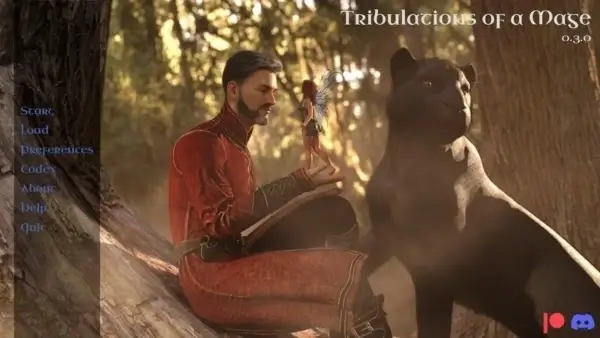
Follow and shape the journey of Tomas as he tries to reclaim a soul that was stolen.
Extract and run.
No patch notes available.
- Dual Core Pentium or equivalent Processor.
- Intel HD 2000 or equivalent Graphics.
- 14.1 GB of free disk space (Recommended to have twice as much free disk space).
Tribulations of a Mage - Finished - v.1.0.3 Download Links
FileknotTransfazeFileknotTransfazeFileknotTransfazeFileknotTransfazeFileknotTransfazeFileknotTransfazeFileknotTransfazeFileknotTransfazeFileknotTransfazeBuzzheavierDatanodesGofilePixeldrainVikingfilePixeldrainBuzzheavierDatanodesMixdropPixeldrainVikingfileBuzzheavierDatanodesMixdropPixeldrainVikingfileBuzzheavierDatanodesMixdropPixeldrainVikingfileBuzzheavierDatanodesMixdropPixeldrainVikingfileBuzzheavierDatanodesGofilePixeldrainVikingfileBuzzheavierDatanodesGofilePixeldrainVikingfileBuzzheavierDatanodesMixdropPixeldrainVikingfile
FileknotTransfazeFileknotTransfazeFileknotTransfazeFileknotTransfazeFileknotTransfazeBuzzheavierDatanodesGofilePixeldrainVikingfileBuzzheavierDatanodesMixdropPixeldrainVikingfileBuzzheavierDatanodesMixdropPixeldrainVikingfileBuzzheavierDatanodesMixdropPixeldrainVikingfileBuzzheavierDatanodesGofilePixeldrainVikingfile
FileknotTransfazeFileknotTransfazeFileknotTransfazeFileknotTransfazeFileknotTransfazeFileknotTransfazeFileknotTransfazeBuzzheavierDatanodesGofilePixeldrainVikingfilePixeldrainBuzzheavierDatanodesMixdropPixeldrainVikingfileBuzzheavierDatanodesMixdropPixeldrainVikingfileBuzzheavierDatanodesMixdropPixeldrainVikingfileBuzzheavierDatanodesMixdropPixeldrainVikingfileBuzzheavierDatanodesGofilePixeldrainVikingfile
Tribulations of a Mage is a porn game made on Ren'Py game engine.
The current available version is v.1.0.3.
The contents of the game are Uncensored. Tribulations of a Mage is developed by Talothral.
Please support the developer if you want continued development.
Download links are gathered from public sources. We do not host or modify contents.
Walkthrough and Guide
Multi Mod: FILEKNOT - MEGA - MEDIAFIRE
Multi Mod Installation:
PC: Unzip the mod and put the folder named "game" from the mod in your "ToaM-0.*.*-pc" folder. Overwrite files if required.
MAC: Unzip the mod -> Right-click your "ToaM" app -> Click "Show Package Contents" -> Open the "Contents" then "Resources" folders -> Hold the Option key and drag the folder named "game" from the mod to the "autorun" folder -> Click merge
Multi Mod Features:
Multi Mod Installation:
PC: Unzip the mod and put the folder named "game" from the mod in your "ToaM-0.*.*-pc" folder. Overwrite files if required.
MAC: Unzip the mod -> Right-click your "ToaM" app -> Click "Show Package Contents" -> Open the "Contents" then "Resources" folders -> Hold the Option key and drag the folder named "game" from the mod to the "autorun" folder -> Click merge
Multi Mod Features:
- In-game walkthrough. Can be Enabled/Disabled in Preferences.
- Adds Scene Replay to Main Menu. (Scenes unlock when seen in-game.)