Genres
Game Description
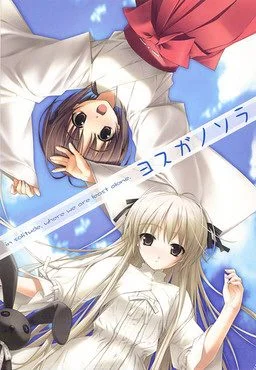
Two twins - Haruka and Sora, his younger sister, are going back to grandfather's house.
They visited this house many times when they were kids and they still remember it. A while ago, they lost their parents in a car accident and they decided to move and live at their grandfather's house.... Nao, their old friend, Ryouhei, his classmate, Akira, a miko at a neighboring shrine, and Kazuha, Akira's close friend, welcome them.
Nothing is changed. His good old memories and silent atmosphere heal his sadness. However, his peaceful life gradually changes when a secret promise made long time ago. A lost treasure. A real reason for moving to the town. Real feelings. The story now starts under the summer sun.
Setting your PC locale to Japanese
Installation for the game requires the PC locale to be in Japanese, to change it:
Control Panel >Clock and Region >Region >Administrative >Change system locale.
Getting a CD mounting program (see the edit below)
The version of the game you downloaded is technically the "physical" version of the game, so you require a CD drive to run the installation. We will use a program that acts as a CD drive in order to mount the game file. I used Daemon Tools, its small in size, has a nice UI and is really easy to use. Download here. The free lite version will suffice.
Install and run Daemon Tools.
Click 'Quick Mount' at the bottom left corner and select your .mdf file.
From File Explorer go to the disk drive that appears and click the game disk.
Run 'setup.exe' and install the game (as I already have the game installed running the process again would wipe my game data so basically just click yes or "はい" and select where you want the game to install).
Congrats the game is now installed, you can unmount the disk from Daemon Tools and uninstall the program if you wish.
English Translation Patch
As of May 2020, translation is complete but editing and proofreading remains an issue. The game is completely playable in English though.
Open the folder where the game was installed.
Open the 'system' folder
Replace the 'yosuga.csx' file in the folder with the one downloaded from the discord. You may make a backup of the original if you want just in case.
Installation for the game requires the PC locale to be in Japanese, to change it:
Control Panel >Clock and Region >Region >Administrative >Change system locale.
Getting a CD mounting program (see the edit below)
The version of the game you downloaded is technically the "physical" version of the game, so you require a CD drive to run the installation. We will use a program that acts as a CD drive in order to mount the game file. I used Daemon Tools, its small in size, has a nice UI and is really easy to use. Download here. The free lite version will suffice.
Install and run Daemon Tools.
Click 'Quick Mount' at the bottom left corner and select your .mdf file.
From File Explorer go to the disk drive that appears and click the game disk.
Run 'setup.exe' and install the game (as I already have the game installed running the process again would wipe my game data so basically just click yes or "はい" and select where you want the game to install).
Congrats the game is now installed, you can unmount the disk from Daemon Tools and uninstall the program if you wish.
English Translation Patch
As of May 2020, translation is complete but editing and proofreading remains an issue. The game is completely playable in English though.
Open the folder where the game was installed.
Open the 'system' folder
Replace the 'yosuga.csx' file in the folder with the one downloaded from the discord. You may make a backup of the original if you want just in case.
No patch notes available.
- Dual Core Pentium or equivalent Processor.
- Intel HD 2000 or equivalent Graphics.
- 1.39 GB of free disk space (Recommended to have twice as much free disk space).
Yosuga no Sora - Finished - v.Final Download Links
Yosuga no Sora is a porn game made on Others game engine.
The current available version is v.Final.
The contents of the game are Censored. Yosuga no Sora is developed by Sphere.
Please support the developer if you want continued development.
Download links are gathered from public sources. We do not host or modify contents.
Walkthrough and Guide
Full Save:
Included in the FULL_SAVE folder, move system.dat to the savedata folder. This will unlock all the CGs under "extras" in the main menu.
Included in the FULL_SAVE folder, move system.dat to the savedata folder. This will unlock all the CGs under "extras" in the main menu.